In this article
- Why does a podcast need a link in bio in 2026?
- Where do podcast listeners actually listen?
- What should a podcaster's link in bio include?
- Which podcast platforms should you link, and in what order?
- How do podcasters make money from their link in bio?
- What do sponsors look for on a podcast's page?
- How to set up your podcast link in bio, step by step
- How do you know if your podcast link in bio is working?
- What mistakes should podcasters avoid?
- Frequently asked questions
The best link in bio setup for podcasters does four jobs in one tap: it gets a new listener to your latest episode in the app they already use, gives fans an easy way to support the show, captures an email so you can reach them between episodes, and tells sponsors exactly how to work with you. Everything else is optional.
The audience is there. In Edison Research's Infinite Dial 2026, 58% of Americans aged 12 and over (about 167 million people) consumed a podcast in the last month, an all-time high. But most of that discovery now starts with a clip on Instagram, TikTok or YouTube, and those apps make it hard to send people anywhere. Your bio link is the bridge between "that clip was great" and "I'm subscribed."
This guide covers where podcast listeners actually listen in 2026, what to put on your page and in what order, how to earn from listeners and sponsors, and a step-by-step setup you can finish in an afternoon.
Key takeaways
- Lead with your latest episode, then one button per listening app. Do not make a new listener search for your show.
- YouTube is now the service weekly podcast consumers use most (37%), ahead of Spotify (21%) and Apple Podcasts (12%), so video belongs near the top.
- Add one clear support option: a subscription, a membership or a tip button. More than two choices slows people down.
- Give sponsors their own section with a media kit and a short inquiry form. US podcast ad revenue hit $2.9 billion in 2025.
- Capture emails. A newsletter is the only listener list no app can take away.
Why does a podcast need a link in bio in 2026?
Podcast listening has never been bigger, and it has never been more spread out. Your show lives on YouTube, Spotify, Apple Podcasts and a dozen other apps, while your promotion lives on social platforms that mostly do not let you link out from a post.
The second number matters most for your bio. Podcasts are now a dual format: people listen on a walk and watch on a TV or phone. Edison's own team summed it up as video expanding the tent rather than replacing audio. Your link in bio has to serve both groups without making either of them think.
The third number is about sponsors. When a brand's team finds your show, the first thing they check is your bio. If there is no clear way to reach you, they move on to the next show.
Where do podcast listeners actually listen?
Before you decide which buttons go on your page, look at where your audience is. Edison Research tracks the service weekly podcast consumers use most often, and the shift toward YouTube has been steady.
Service used most often for podcasts, US weekly podcast consumers 13+
Two lessons stand out. First, if you publish video, YouTube deserves a top spot: YouTube says more than 1 billion people a month watch podcast content there, and viewers watched over 400 million hours of podcasts a month on living room devices. Second, "all other services" is still almost a third of the audience. Apple Podcasts, Spotify and the long tail of apps together outnumber YouTube, so you still need a button for each major app.

What should a podcaster's link in bio include?
Here is the full menu. You will not need every section on day one, but this is the order that works for most shows, from the top of the page down.
| Section | What to add | Why it matters |
|---|---|---|
| Latest episode | An embedded player or a featured link to this week's episode | Someone who just saw a clip wants that exact episode, not your archive |
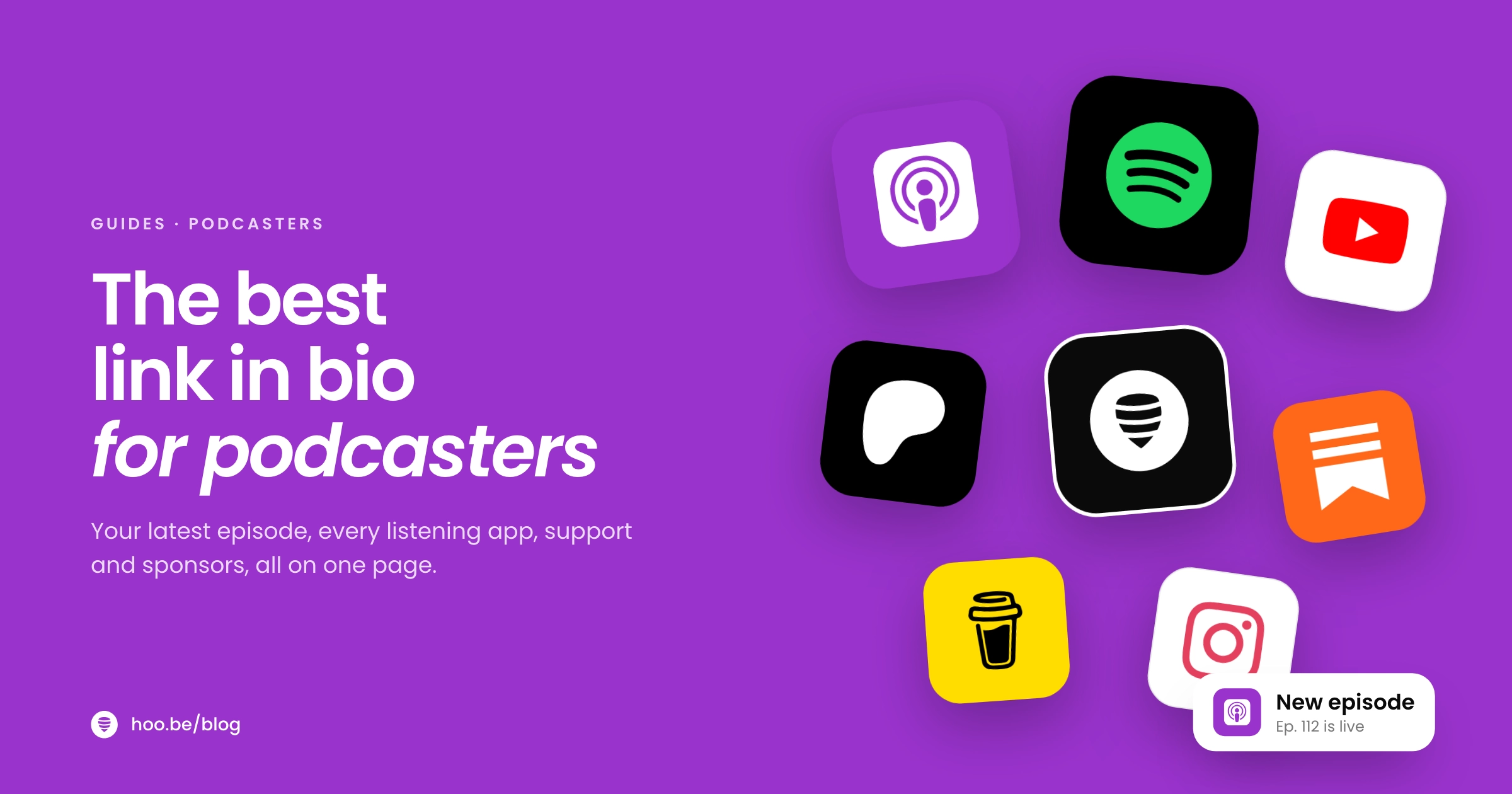
| Listening apps | One button each for YouTube, Spotify and Apple Podcasts, plus your other top apps | Listeners pick the app they already use, in one tap |
| Start here | Two or three best episodes for new listeners | Your best work converts better than your newest work |
| Support the show | A subscription, membership or tip button | Fans who want to pay you can do it while they are excited |
| Newsletter or community | An email signup, Discord or Substack | Keeps listeners connected between episodes |
| Sponsors | Media kit link and a short inquiry form | Turns brand interest into a conversation |
| Live shows and merch | Ticketed dates and products | Your most loyal fans are your best buyers |
1. Your latest episode, first
Most people tap your link right after watching a clip. Give them that episode at the top of the page, ideally as a player they can start without leaving. If you post clips from older episodes too, pin the episode the clip came from for a few days, then switch back to the newest one.
2. One button per listening app
Do not send everyone to a single app and hope. Add a clearly labeled button for YouTube, Spotify and Apple Podcasts, and add any other app that shows up in your host's analytics. Use the official app names, because people scan for the logo and the word they recognize.
3. A "start here" set for new listeners
Your newest episode is not always your best introduction. Pick two or three episodes that explain what the show is about and why people stay, and group them together. A swipeable carousel keeps this compact.
4. One way to support the show
Choose the support option that matches your show and make it one obvious button. Too many choices, such as Patreon, a tip jar, a membership and merch all side by side, spread attention thin. The next section compares the main options.
5. A newsletter or community
An email list lets you announce episodes, live shows and offers without depending on any app's algorithm. If you already run a Substack or a Discord, link it. If not, a simple email form is enough to start. Our guide to building an email list from your link in bio covers the details.
6. A sponsor section
Brands want to know who listens, how many, and how to book. A media kit link plus a short form answers all three. If you tour or sell merch, add the dates and your top one or two products below it.
Which podcast platforms should you link, and in what order?
Order your buttons by where your own listeners come from, which you can check in your host's analytics. If you have no data yet, use the national picture above: YouTube first for video shows, then Spotify, then Apple Podcasts. Here is what each platform offers podcasters in 2026.
| Platform | Best for | Creator program in 2026 |
|---|---|---|
 YouTube YouTube | Video podcasts and discovery through search and recommendations | Partner Program ads plus fan funding; the lower tier opens at 500 subscribers |
 Spotify Spotify | Audio and video listeners who already live in Spotify | Partner Program for video podcasts: 1,000 engaged audience, 2,000 hours in 30 days, 3 episodes |
 Apple Podcasts Apple Podcasts | Audio-first listeners on iPhone, iPad and Mac | Paid subscriptions through the Apple Podcasters Program ($19.99 a year in the US) |
  Other apps Other apps | The long tail: about 30% of weekly listeners combined | Varies by app; link the ones your analytics show |
Program details from YouTube, Spotify (via TechCrunch) and Apple Podcasts for Creators, as of October 2026.
Spotify made the biggest change this year. In January 2026 it cut the thresholds for its Partner Program for video podcasts to three episodes, 2,000 consumption hours and 1,000 engaged audience members over 30 days, down from 12 episodes and 10,000 hours. It also added tools to update, schedule and measure host-read sponsorship spots in video. If you have been audio-only on Spotify, it is worth checking whether you now qualify.
Pro tip
Use the same order on every platform you promote from. If YouTube is your first button in your bio, say "watch the full episode on YouTube, link in bio" in your clip captions too. Consistency makes the tap feel automatic.
How do podcasters make money from their link in bio?
Your link in bio is where listener goodwill turns into income. Here are the common options in 2026, with what each platform says you keep.
| Option | What you need | What you keep |
|---|---|---|
| Apple Podcasts Subscriptions | Apple Podcasters Program, $19.99 a year in the US | 70% in a subscriber's first year, 85% after that |
 Patreon Patreon | A free account | 10% platform fee for new creators, plus processing and payout fees |
| YouTube fan funding | 500 subscribers plus 3,000 watch hours in 12 months or 3M Shorts views in 90 days | Memberships and Supers, paid through the Partner Program |
| Spotify Partner Program | The video thresholds above | Payouts set by Spotify for eligible video shows |
 Tips on hoo.be Tips on hoo.be | A hoo.be page with a Tips block | Tips of $1 to $500; hoo.be fee is 9% on Free, 5% on Pro and 0% on Premium, plus Stripe processing |
Sources: Apple Podcasts for Creators, Patreon pricing, The Next Web on YouTube Partner Program tiers, TechCrunch on Spotify. hoo.be figures from hoo.be.
Pick based on what you can deliver. Subscriptions and memberships promise ongoing extras, such as bonus episodes or ad-free feeds, so only choose them if you can keep that promise every month. A tip button asks for nothing in return, which makes it a good first step for smaller shows. Whatever you choose, put it in the top half of the page and mention it at the end of each episode.
For the bigger picture on stacking income streams, see how to make money on social media.
What do sponsors look for on a podcast's page?
Advertisers spent $2.9 billion on US podcasts in 2025, according to the IAB, and that money goes to shows that make buying easy. A brand's team usually checks three things in your bio before they reach out.

- Who listens. Audience location, age range and what they care about. Pull this from your host and platform analytics.
- How many. Downloads or plays per episode in the first 30 days, plus YouTube views if you publish video. Be honest and specific.
- How to book. Ad formats you offer (host-read, pre-roll, mid-roll, video integrations), lead times and a contact route.
Put the numbers in a one-page media kit and link it from a "Sponsor the show" section. Under it, add a short inquiry form with a few fields: company, email, budget range and preferred dates. Forms filter out vague requests and give you everything you need to reply with a quote. Our guides to building a creator media kit and pitching brands go deeper.
When you do run a sponsored segment, disclose it clearly. The FTC's guidance for creators asks for disclosures that are hard to miss and in plain language, and for video it says the disclosure belongs in the video itself, not just the description.
How to set up your podcast link in bio, step by step
Here is a setup you can finish in one sitting. It works with any link in bio tool.
- Collect your links. Copy your show's URL on YouTube, Spotify, Apple Podcasts and any other app with real listeners, plus your newsletter, support page and media kit.
- Write a one-line show description. Who the show is for and what they get. "Weekly interviews with first-time founders" beats "conversations about life."
- Add the latest episode at the top. Embed the video or player if your tool supports it, so people can start without leaving.
- Add one button per listening app. Order them by your own analytics, or YouTube, Spotify, Apple Podcasts if you are starting out.
- Group your best episodes. A "start here" carousel with two or three episodes for first-time visitors.
- Add one support option and an email signup. Keep both above your sponsor section.
- Add a sponsor section. Media kit link and a short inquiry form.
- Put the same link everywhere. Instagram, TikTok, X, Threads and your YouTube channel links, plus your show notes and episode outro.
Say it out loud
Clips drive the tap, but the episode itself is where you have your audience's full attention. End every episode with one sentence that names your page, such as "everything we mentioned is on our page, link in our bio." Spoken calls to action are easy to forget and easy to fix.
How do you know if your podcast link in bio is working?
A link in bio is not set-and-forget. Check it once a month and ask three questions.
- Which buttons get tapped? If one listening app gets almost no clicks, move it down. If "start here" episodes outperform the latest episode, give them more space.
- Where does the traffic come from? Referrer data tells you whether Instagram, TikTok or YouTube is sending visitors. Put your clip effort where it pays off.
- Are visitors turning into listeners? Compare page clicks with new followers in your podcast apps over the same week.

Our link in bio audit walks through a monthly check, and common link in bio mistakes lists the problems to look for first.
What mistakes should podcasters avoid?
- Linking only one app. A third of weekly listeners use something other than YouTube, Spotify or Apple Podcasts. Do not lose them at the first tap.
- Burying the latest episode. If someone has to scroll past merch and sponsors to find the episode they came for, many will leave.
- Too many support options. One clear ask beats four competing ones.
- No sponsor route. "Email us" with no address, or an address hidden in an About page, costs you deals.
- Stale links. A "new episode" button pointing at a three-month-old episode suggests the show is over.
- Ignoring video. With 57% of Americans 12+ having both watched and listened to podcasts, a page with no video option misses a large group.
If you also release music or run a creator business alongside the show, our setups for musicians and YouTubers cover the extra sections those need.
Give your show one page for every listener
hoo.be lets you embed YouTube and Spotify, add a button for every app, take tips from $1 to $500, collect emails and sponsor inquiries with forms, list live shows with tickets, and see which links get tapped. Free to start.
Build your podcast page on hoo.beFrequently asked questions
What should a podcaster put in their link in bio?
Put your latest episode at the top, then one button for each listening app (YouTube, Spotify, Apple Podcasts and any other app your listeners use). Below that, add two or three "start here" episodes, one support option, an email signup and a sponsor section with a media kit and contact form.
Which podcast platform should I link first?
Link the platform your own listeners use most, which you can see in your host's analytics. If you have no data, Edison Research's 2026 numbers show YouTube is the service weekly podcast consumers use most (37%), followed by Spotify (21%) and Apple Podcasts (12%), so YouTube first works for video shows.
How do podcasters make money from their link in bio?
The most common routes are paid subscriptions (Apple Podcasts pays creators 70% of the price in a subscriber's first year and 85% after), memberships on Patreon or YouTube, tip buttons, merch, live show tickets and sponsorships. Your link in bio is where fans and brands find each of these.
How many listeners do I need for Spotify's Partner Program?
Since January 2026, Spotify's Partner Program for video podcasts requires three published episodes, 2,000 consumption hours and 1,000 engaged audience members over the past 30 days. That is down from 12 episodes and 10,000 hours when the program launched.
How do I get sponsors to find my podcast?
Add a "Sponsor the show" section to your link in bio with a one-page media kit (audience, downloads per episode, ad formats) and a short inquiry form. Then pitch brands directly. A clear booking route turns inbound interest into deals instead of unanswered DMs.
Should my podcast link in bio include video?
Yes, if you publish video. Edison Research found 57% of Americans 12+ have both listened to and watched a podcast, and YouTube says over 1 billion people watch podcast content there every month. Embedding your latest episode lets visitors start watching without leaving the page.
Sources
- Edison Research at SSRS, The Infinite Dial 2026 (Mar 2026)
- Edison Research at SSRS, The Podcast Consumer 2026 report (Jun 2026)
- IAB, Digital ad revenue climbs to nearly $300B (Internet Advertising Revenue Report, full year 2025) (Apr 2026)
- YouTube Blog, Celebrating 1 billion monthly podcast users on YouTube (Feb 2025)
- TechCrunch, Spotify lowers monetization threshold for video podcasts (Jan 2026)
- Apple Podcasts for Creators, Availability of Apple Podcasts features
- Apple Podcasts for Creators, Subscription analytics
- Patreon, Pricing
- The Next Web, YouTube Partner Program doubles entry requirements for 2027 (Aug 2026)
- FTC, Disclosures 101 for Social Media Influencers