How to Use Direct Links and Redirect Links
6 min read · Updated
hoo.be gives you two ways to send someone straight to a destination without them landing on your page first. They sound similar and do very different things, so here's what each one is for.
 hoo.be/yourhandle keeps working as normal
hoo.be/yourhandle
hoo.be/yourhandle keeps working as normal
hoo.be/yourhandleA direct link is a short URL for one of your links, in the form hoo.be/yourhandle/your-slug. Anyone who opens it goes straight to that link's destination. Every link you create already has one, and your page is unaffected.
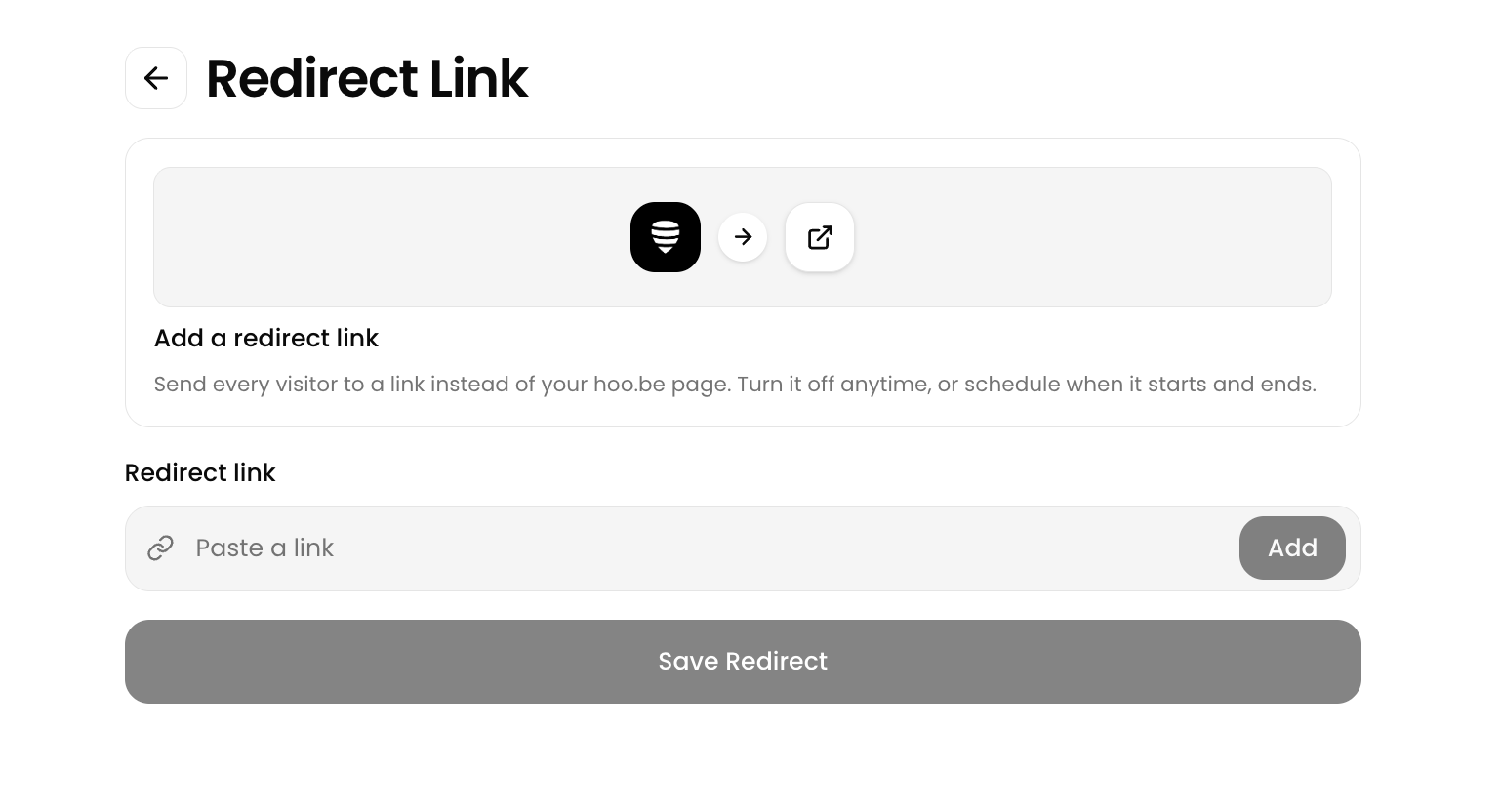
A redirect link sends your whole page somewhere else. While it's on, anyone visiting hoo.be/yourhandle is sent to one destination and never sees your page at all.
Direct links
You don't create a direct link. Every link already has one. When you add a link, hoo.be gives it a slug automatically, based on the platform or the website it points to. You can change that slug to anything you like.


Where to find and edit it
Log in and click My Links in the sidebar
Open the link you want
Find the Direct Link field. Your handle is a fixed prefix, and you type the ending you want.
Click Save
What you can use
- Letters, numbers and hyphens only
- Up to 50 characters
- Unique within your own page. Two of your links can't share a slug, but other creators can use the same slug on theirs.
A few words are reserved because hoo.be uses them for its own pages. If you pick one you'll see "This slug is reserved and cannot be used", so choose something else.
Changing a slug breaks the old URL. Anything you've already shared with the old one will stop working. If a link is out in the wild in a Story, a video description or a printed QR code, leave its slug alone.
Direct links open apps, not in-app browsers
This part happens automatically, and it's the main reason to use a direct link at all.
When someone taps a normal link inside Instagram or TikTok, it opens in that app's built-in browser. Those browsers don't share logins or saved payment details with Safari or Chrome, which is why checkouts and sign-ins so often fail there.
A direct link escapes that on its own. Open one from an in-app browser and hoo.be hands it off:
Redirect links
Pro PremiumA redirect link points your whole hoo.be URL at one destination. While it's active, nobody reaches your page.
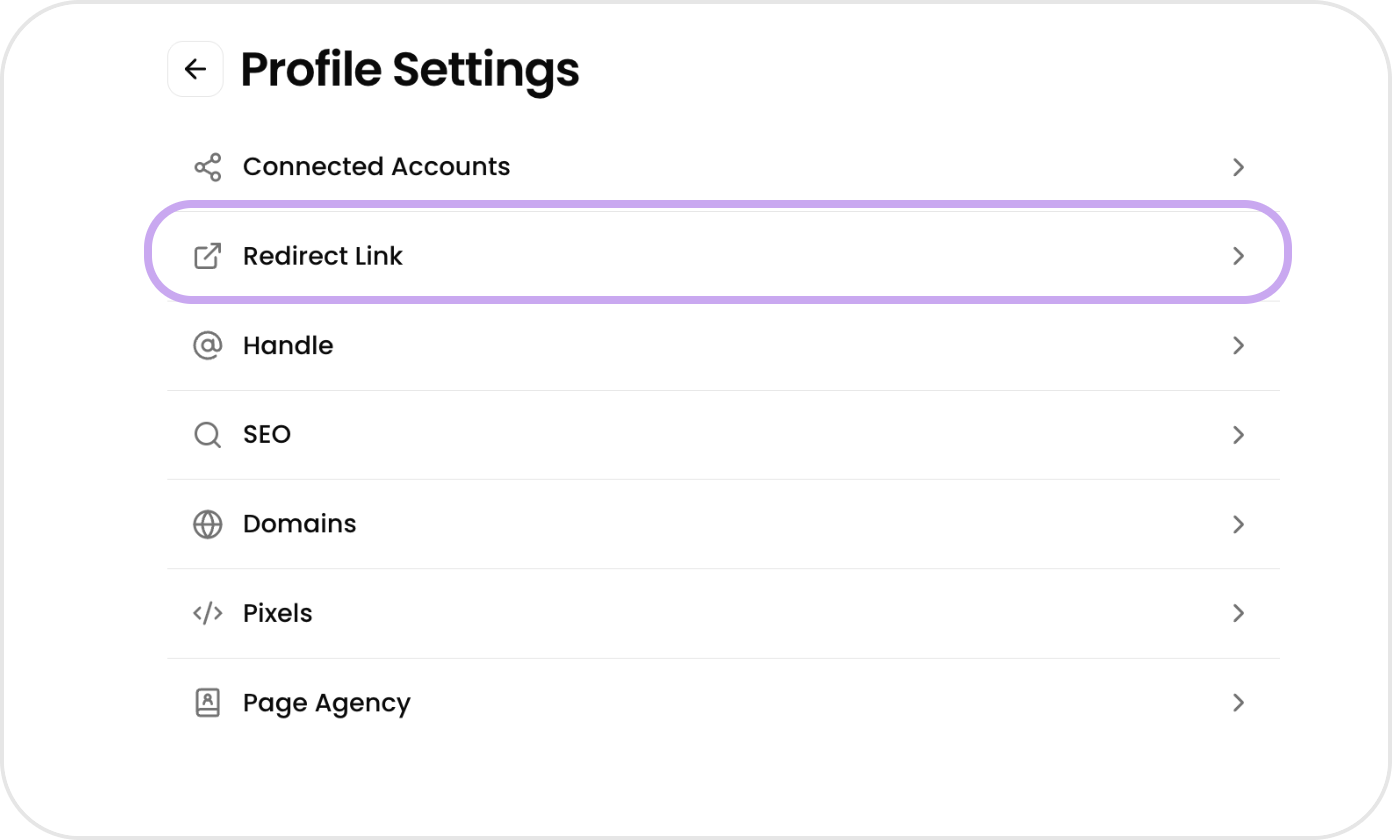
Set one up under Account › Profile Settings › Redirect Link. You can schedule it with a start and end date, and toggle Pop-out to browser so it escapes in-app browsers the way direct links do. Full steps are in How to Set Up a Redirect Link.
Which one to use
- You're sending people to one specific thing, like a product, a ticket page or a sign-up, and still want your page working for everyone else
- You want a clean URL to say out loud, print on packaging, or put on a QR code
- The destination is a checkout or a login, and you need it out of the in-app browser
- You want to know how a single campaign performed, separately from your page
- You're running a launch or a drop and want every visitor in one place for a few days
- You're going live and want your bio link to point at the stream
- Your page is mid-rebuild and you'd rather send people somewhere finished
Because a redirect takes your page out of circulation, it suits something with an end date. Set the end date when you set it up, so it turns itself off.
How each one shows in your analytics
Open a link's analytics and you'll see three numbers. They count different journeys to the same destination:
A link you've been sharing as a direct link will show lots of Direct Clicks and very few Page Clicks, like the one above. That is the feature working, not a problem with your page.
"Direct" means two different things on that screen. The Direct Clicks number is about which URL was used. Direct in the Traffic Sources list means something else: we couldn't tell where the visitor came from, because their browser sent no referrer. Links opened from DMs, iMessage, WhatsApp, email, a QR code, or typed by hand usually land there. Those visitors came from somewhere real, we just can't see where.
Common questions
Does a direct link work if the link isn't on my page?
Yes. A direct link works for any link in your account, whether or not you've placed it on your page. Plenty of creators keep links off the page purely to share them this way.
What happens to a direct link if I archive the link?
It stops working. Archived links don't resolve, and anyone with the URL is sent to your page instead.
Can I use a direct link and a redirect link at the same time?
Yes, and they don't interfere. A redirect only affects visits to your main hoo.be URL. Direct links keep pointing at their own destinations.
Do my visitors see a hoo.be page in between?
No. Both send the browser straight on. The only exception is on Android, where escaping the in-app browser needs a brief handoff screen.
Will people know it's a hoo.be link?
They'll see your hoo.be URL before they tap, and the destination's own address afterwards.
📢 Tip: If you're putting one link in a Story, a video description or a bio, use the direct link instead of the raw destination. You get the click data, and it pulls the visitor out of the in-app browser so checkouts and logins actually work.
Was this article helpful?