How to Display Your Total Followers
2 min read · Updated
Connect your social accounts and hoo.be adds up your verified follower counts into a single total on your page. Brands see your true reach at a glance, and fans can tap through to follow you anywhere you post.
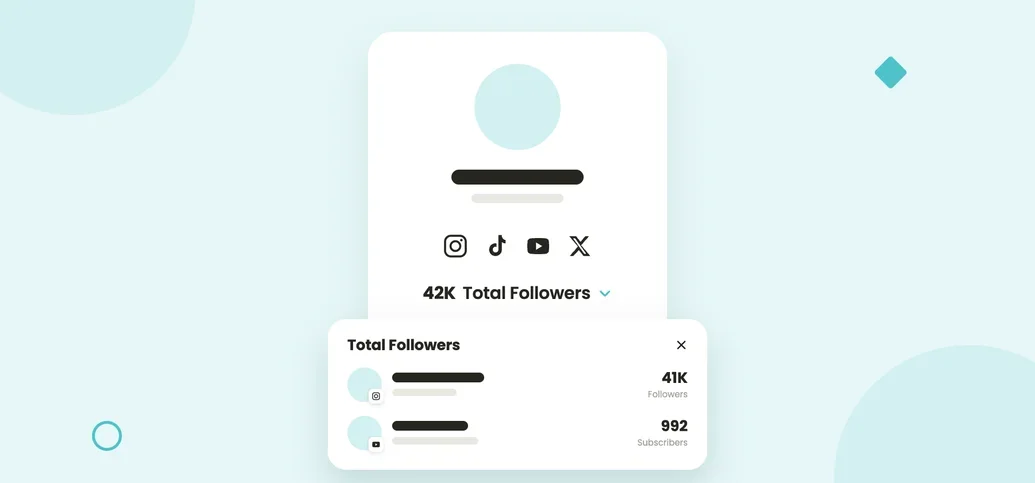
The new Total Followers block pulls your follower counts straight from each platform and rolls them into one number, with a dropdown that breaks it down account by account. Here's how to set it up.
How to add Total Followers
1. Open your social icons
In the page editor, click Edit Social Icons, or go to Settings and then Connected Accounts. There is no separate block to add: the total sits under the social icons you already have.
 Instagram@yourhandle · 128K Followers
 YouTube@yourchannel · 44.2K Subscribers
 TikTokConnect to show your countConnect
2. Hit "Connect" on the accounts you want to show
Instagram, TikTok, YouTube, X, Bluesky and more. Already-connected accounts show their counts right away.
3. Set the Badge to Followers
The Badge control has three settings. Hidden shows nothing, Socials shows a "Follow my socials" strip with your handles, and Followers shows the combined count and opens a per account breakdown. Pick Followers and hit Done.


Why it works
Brands see verified reach, not a screenshot
Counts come from the platforms themselves, so the number on your page is one they can trust.
Every account in one place
All your socials organized in a single dropdown instead of scattered across your page.
It sends fans where you post
Anyone who opens the breakdown can follow you on the platform they actually use.
Connect more, count more
Each account you add rolls into the total, so your number reflects your full audience.
Managing your accounts. Add, remove or refresh any connection any time from Connected Accounts in your profile settings.
Add Total Followers in a minute
Show your real audience across every platform, all in one place.
Was this article helpful?