In this article
- What is a link in bio audit, and how often should you run one?
- What does a good link in bio click rate look like?
- The 10-point link in bio audit checklist
- How do you run a link in bio audit, step by step?
- Which links should go first on your bio page?
- How do you write link labels that get clicked?
- Is your link in bio fast and mobile-friendly enough?
- How do you track which links in your bio convert?
- What should you fix first after an audit?
- Frequently asked questions
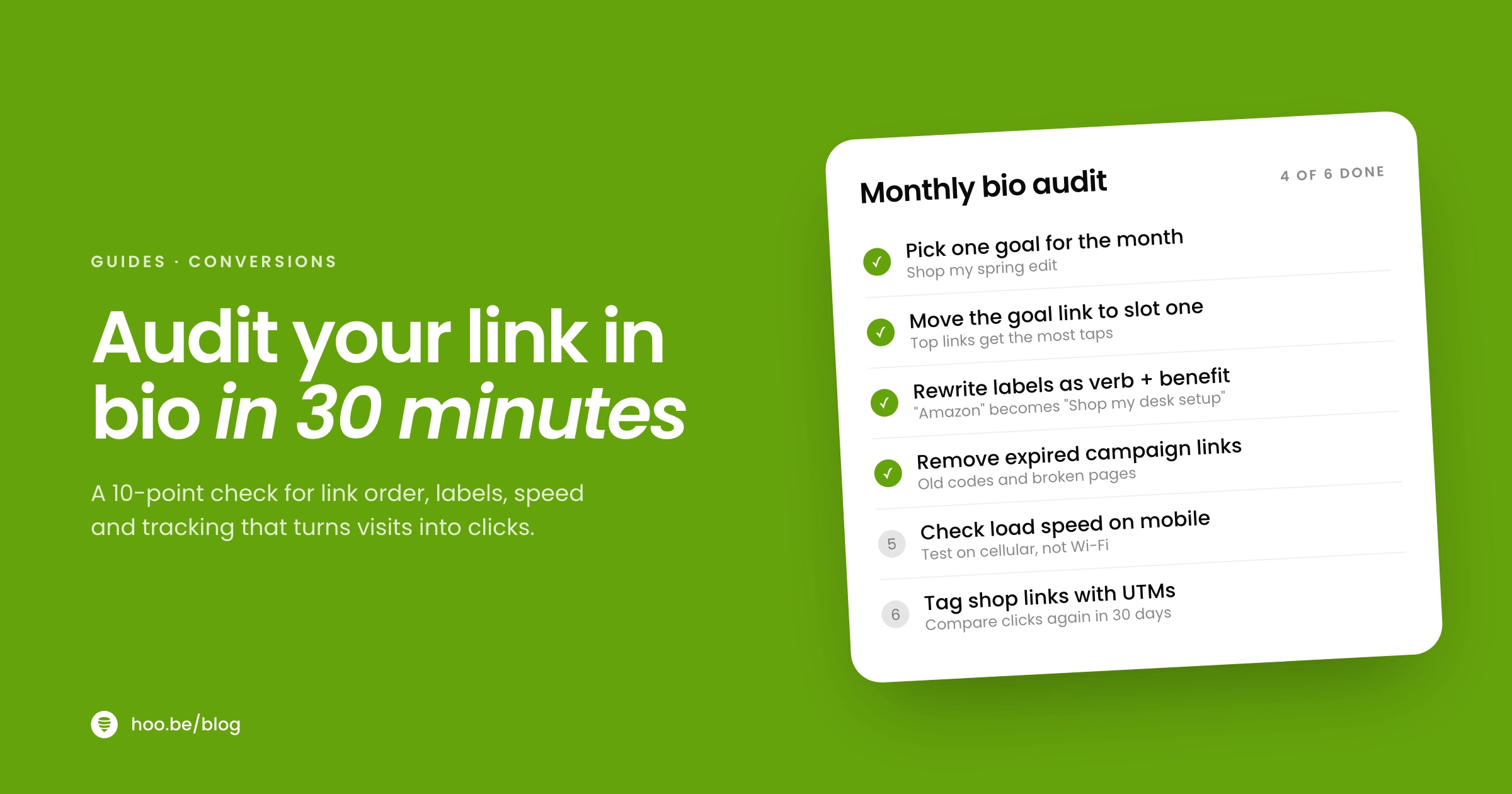
A link in bio audit is a 30-minute check of the one page every profile visitor sees after they tap your bio. You look at what you want people to do, which link sits first, whether each label makes sense on its own, how fast the page loads on a phone, and which links actually earn clicks. Then you cut, reorder and rewrite until the page has one clear job.
It is worth the half hour. Linktree's own data shows the first three links on a ten-link page get 130% higher click-through rates than the bottom seven, and Unbounce found that pages written in plain, simple language convert at 11.1%, well above the 6.6% median. Small changes to order and wording move real numbers.
This guide gives you a 10-point checklist, a step-by-step routine you can repeat every month, the benchmarks to measure against, and the platform rules that changed in 2026.
Key takeaways
- Pick one goal for the next 30 days and put the link that serves it first. Position is the biggest lever you have.
- Write labels a 12-year-old could act on: a verb, the thing, and the reason. Plain copy converts better.
- Audit on your phone, not your laptop. About 83% of landing page visits in Unbounce's dataset came from mobile.
- Remove expired campaigns, broken links and duplicate destinations. Fewer, clearer choices beat a long list.
- Track clicks per link and per traffic source, then move winners up and cut what nobody taps. Repeat monthly.
What is a link in bio audit, and how often should you run one?
A link in bio audit is a structured review of your bio page against one question: does it help the people who tap through take the next step you care about most? It covers five areas: your goal, your link order, your labels, your page speed and your tracking.
Run a full audit once a month, and a quick one any time something changes: a new brand deal, a product launch, a viral post, or a campaign ending. A page that still promotes last season's discount code tells new visitors you are not paying attention, and it costs you the click that should have gone to what is live today. Our list of common link in bio mistakes is a useful companion to this checklist.

What does a good link in bio click rate look like?
There is no single industry standard for bio pages, but two large public datasets give you useful reference points.
Where your visitors come from also changes what "good" means. In May 2026 Linktree published a year of traffic data, measuring outbound clicks divided by page views for each source. Visitors from Instagram and TikTok clicked through about twice as often as visitors from Facebook.
Outbound clicks per page view, by traffic source
Use these as context, not targets. The number that matters is your own click rate this month compared with last month. If it rises after an audit, the changes worked. If one source converts far below the others, the page may not match what those visitors expected when they tapped.
The 10-point link in bio audit checklist
Open your page on your phone and go through each line. Mark it pass or fix. Anything marked fix goes on your list for the steps in the next section.
| # | Check | Pass looks like | Common fix |
|---|---|---|---|
| 1 | One clear goal | You can name the single action you want most visitors to take this month | Pick one: shop, sign up, book, watch or contact |
| 2 | First link matches the goal | The top link serves that action | Move it to position one and make it visually distinct |
| 3 | Labels stand alone | Each link makes sense without your video for context | Rewrite as verb + thing + reason |
| 4 | No dead weight | No expired offers, broken links or duplicates | Delete, or archive into a secondary section |
| 5 | Short list | A visitor can see the main options without much scrolling | Group secondary links into a carousel or under a title |
| 6 | Matches your content | The thing you mentioned in your latest post is easy to find | Pin the current campaign or product near the top |
| 7 | Fast on mobile | The page appears almost instantly on mobile data | Compress images and drop heavy embeds you do not need |
| 8 | Business contact visible | A brand can reach you in one tap | Add an email link or a contact form |
| 9 | Disclosures in place | Affiliate and sponsored links are labeled where the recommendation is made | Add "#ad" or "affiliate link" to the post and the link |
| 10 | Tracking works | You can see clicks per link and per source | Turn on page analytics and tag key links with UTMs |
How do you run a link in bio audit, step by step?
Block 30 minutes and use your phone, on mobile data if you can, so you feel the same load times your followers do.
- Pull last month's numbers. Write down page views, total clicks, and clicks for each link. Note your top three traffic sources. You need a "before" to judge the "after".
- Set one goal for the next 30 days. Choose the single action that matters most right now, such as joining your email list or buying from a current campaign.
- Tap every link. Check that each one opens, lands on the right page and is still live. Note anything broken, slow, expired or duplicated.
- Cut first, then reorder. Remove anything that failed step three. Put the goal link first, then the two links with the most clicks last month.
- Rewrite the labels. Give every link a verb and a specific outcome. "Shop my desk setup" beats "Amazon".
- Check speed and layout on your phone. Reload the page, scroll it and look for anything that loads late, jumps around or looks cramped.
- Tag and record. Add UTM tags to the links you send to your own site or shop, write today's date next to your "before" numbers, and set a reminder to compare in 30 days.
Which links should go first on your bio page?
The links at the top get most of the attention, so treat position as your most valuable real estate. Linktree's 2023 creator report found that across a ten-link list, the first three links averaged 130% higher click-through rates than the bottom seven. The same report noted that roughly 40% of people feel overwhelmed by too many choices online.
People also skim. Nielsen Norman Group's analysis of 45,237 page views found visitors read about 20% of the words on an average web page. On a bio page, that means most visitors read your first few labels and decide.

A simple ordering rule that works for most creators:
- Slot 1: this month's goal. The campaign, product, signup or booking you care about most right now.
- Slots 2 and 3: proven earners. The links that drew the most clicks or revenue last month.
- Below that: everything else, grouped. Socials, older videos, press and archives, collected under a title or in a carousel so they do not compete with the top.
Not sure what deserves a spot at all? Our guide to what to add to your link in bio covers the essentials by creator type.
Pro tip
Instagram lets you add up to five links to your profile, but the app shows only the first one by name, with a count of the rest. Put your bio page in that first slot. Everything else your followers need can live on the page itself, where you control the order and can see what gets tapped.
How do you write link labels that get clicked?
Unbounce's analysis of more than 41,000 landing pages found that pages written at a 5th to 7th grade reading level converted at 11.1%, which was 56% higher than pages written at an 8th to 9th grade level. Difficult words, longer reading times and higher word counts all correlated with fewer conversions.
A link label is the shortest copy you will ever write, so the same rules apply even more strongly:
- Lead with a verb. Shop, watch, join, book, get, listen.
- Name the specific thing. "Get my 7-day meal plan" beats "Free resources".
- Add the reason when it helps. "Join my newsletter: one recipe every Sunday" tells people what they get.
- Match the words you used on camera. If you said "the serum from today's video", use those words on the link.
- Cut platform names as labels. "Amazon" or "YouTube" tells people where they are going, not why.
| Before | After | Why it works |
|---|---|---|
| Amazon | Shop my desk setup | Names the thing they asked about |
| Newsletter | Get one recipe every Sunday | Shows the benefit and the cadence |
| Work with me | Brands: email me for rates | Speaks to the right audience |
| New video! | Watch: 5 mistakes in my first year | Gives a reason to tap today |
Is your link in bio fast and mobile-friendly enough?
Almost all bio traffic arrives on a phone, often on mobile data, inside an app's built-in browser. In Unbounce's dataset, 83% of visits came from mobile, and desktop still converted about 8% better, which tells you mobile pages have room to improve.
Speed is part of that gap. A Google-commissioned Deloitte study of mobile sites across retail, travel, luxury and lead generation brands found that a 0.1-second improvement in mobile site speed lifted retail conversions by 8.4% and average order value by 9.2%. Your bio page is not a retail site, but the principle carries over: every moment spent waiting is a moment someone thinks about going back to the feed.
What to check on your phone:
- Images. Large uncompressed photos are the most common cause of a slow page. Use one strong profile image and properly sized thumbnails.
- Embeds. Video and music embeds are useful, but each one adds weight. Keep the ones that support this month's goal.
- Tap targets. Buttons should be easy to hit with a thumb, with enough space between them.
Google's PageSpeed Insights will analyze any public URL, including your bio page, and point out what slows it down.
How do you track which links in your bio convert?
You cannot improve what you do not measure. At minimum you want three numbers each month: page views, clicks per link, and where visitors came from.
For links that point to your own website or shop, add UTM parameters. Google Analytics reads utm_source, utm_medium and utm_campaign from the URL and shows them in its traffic acquisition report. A consistent scheme such as utm_source=instagram&utm_medium=bio&utm_campaign=spring-launch lets you see exactly which sales started in your bio.
For brand campaigns, unique promo codes do a similar job. Influencer Marketing Hub's 2026 benchmark found promo and discount codes are the most widely adopted way brands measure creator campaigns, used by 45.9% of the brands that answered.

Audit by platform
Each platform sends visitors with different rules and different habits. Check that your setup on each one points to the page you just audited.
| Source | Bio link rules in 2026 | What to check |
|---|---|---|
 Instagram Instagram | Up to 5 profile links; only the first is shown by name. Clickable caption links are only being tested with Meta Verified subscribers, up to 10 a month. | Your bio page is link one, and any links you share in Stories still work |
 TikTok TikTok | A clickable website link needs 1,000+ followers on a personal account, or a verified business account | Link is live, and your videos say "link in bio" when it matters |
 Facebook Facebook | Lowest click-to-view rate in Linktree's data, about 41% | The top of the page makes sense to a less familiar visitor |
 Google Search Google Search | Highest click-to-view rate in Linktree's data, about 95% | Your page title and description say who you are and what you offer |
Sources: Social Media Today on Instagram profile links, Engadget on caption links, Shopify on TikTok bio link requirements, Linktree traffic data. As of October 2026.
Do not skip disclosures
The FTC says a disclosure is likely to be missed if it appears only on an "about me" or profile page. Label sponsored and affiliate recommendations where you make them, in the post and next to the link, not only in your bio. The FTC's Disclosures 101 is a short read.
What should you fix first after an audit?
If your list of fixes is long, work through it in this order. The first items take minutes and usually move the numbers most.
- Broken and expired links. They cost trust with every tap.
- Link order. Goal first, proven earners next.
- Labels. Verb, thing, reason.
- Grouping. Collapse everything secondary so the top three stand out.
- Tracking. UTMs on owned links, and a reminder to compare in 30 days.
- Speed and design. Compress images, trim embeds and check contrast.
If your page has turned into an archive, ask whether some of it belongs somewhere else. Our comparison of a link in bio vs. a landing page explains when a dedicated page for one offer makes more sense. And if your goal is income, the follow-up to this audit is our guide to turning your link in bio into a revenue driver.
Where hoo.be fits
A few hoo.be features map directly to the checklist. Every hoo.be page has analytics with tabs for Overview, Page, Links and Blocks, so you can see clicks per link. The Free plan covers 7- and 30-day views; Pro adds 90-day, all-time and custom ranges, plus referrer, device, country and city breakdowns, which is how you compare traffic sources. You can add a Facebook Pixel, TikTok Pixel or Google Analytics ID to the page, and Carousel and Title blocks make it easy to group secondary links below your main one.
For campaigns with an end date, Pro includes page scheduling and a scheduled redirect link, so a launch can go live and come down on time instead of lingering after it ends. Contact and form responses export to CSV if your goal is building a list.
Make every link on your page earn its spot
hoo.be gives you blocks for links, products, tips and signups, with analytics that show which ones visitors tap. Start on the Free plan and see what works.
Build your hoo.be pageFrequently asked questions
How often should I audit my link in bio?
Run a full audit once a month and a quick check whenever something changes, such as a new brand deal, a product launch or a campaign ending. Monthly gives you enough data to compare click rates before and after your changes.
How many links should I have in my link in bio?
As few as you need for your current goals. Linktree's data shows the first three links on a ten-link page get 130% higher click-through rates than the bottom seven, so keep your most important links at the top and group the rest so they do not compete.
What is a good click-through rate for a link in bio page?
It depends on the traffic source. Linktree measured about 83 outbound clicks per 100 page views from Instagram and TikTok, about 41 from Facebook and about 95 from Google search between May 2025 and April 2026. Compare your own rate month over month rather than chasing a single benchmark.
Should my most important link go first?
Yes. Visitors skim and decide fast. Nielsen Norman Group found people read about 20% of the words on an average page, so put this month's main goal in the first slot and your proven earners right after it.
How do I track sales from my link in bio?
Add UTM parameters to links that go to your own site or shop so Google Analytics can attribute visits to your bio, and use unique promo codes for brand campaigns. Check clicks per link in your link in bio analytics every month.
Does my link in bio need an FTC disclosure?
If it includes affiliate or sponsored links, label them clearly. The FTC says a disclosure only on a profile or about page is likely to be missed, so disclose in the post where you make the recommendation and next to the link itself.
Can I add a link to my TikTok bio with under 1,000 followers?
Only with a verified business account. A personal TikTok account needs more than 1,000 followers before a clickable website link appears in the profile editor.
Sources
- Linktree Creator Report 2023
- Linktree, Not All Clicks Are Equal: A Year of Linktree Traffic, by Source (May 2026)
- Unbounce, Conversion Benchmark Report
- Nielsen Norman Group, How Little Do Users Read?
- Deloitte, Milliseconds Make Millions (2020)
- Social Media Today, Instagram adds up to 5 links in profile bio (Apr 2023)
- Engadget, Meta tests clickable links in Instagram captions (Mar 2026)
- Shopify, How to add a link to your TikTok bio (Jul 2026)
- Google, PageSpeed Insights
- Google Analytics Help, Collect campaign data with custom URLs
- Influencer Marketing Hub, Influencer Marketing Benchmark Report 2026 (May 2026)
- FTC, Disclosures 101 for Social Media Influencers