In this article
- Why do link in bio features matter more in 2026?
- What are the must-have features of a link in bio tool?
- Which link in bio features matter for your type of content?
- What do free link in bio plans include, and what costs extra?
- How fast should a link in bio page load?
- What analytics should a link in bio tool give you?
- Which advanced features are worth paying for?
- How do you choose the right link in bio tool?
- How does hoo.be cover these features?
- Frequently asked questions
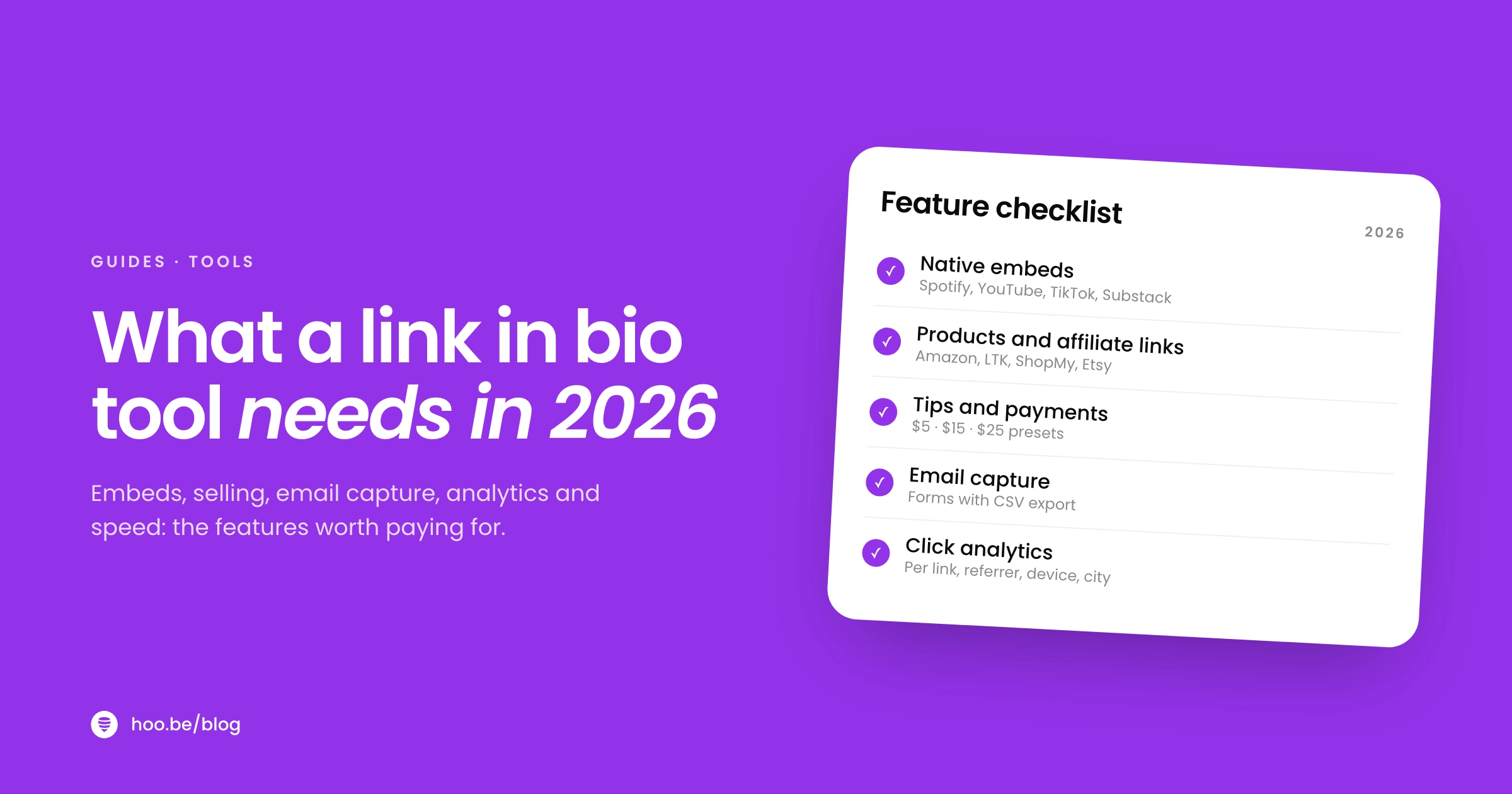
A good link in bio tool in 2026 does far more than stack buttons. It should load fast on a phone, embed your music and videos, sell products and take tips, collect emails, and show you which links actually get tapped. If a tool cannot do those five things on its free plan, or charges you a cut every time you earn, keep looking.
The stakes are higher than they look. Instagram gives you five links and a 150-character bio. TikTok only allows a profile link once you reach 1,000 followers. Most of the people who tap that link are on a phone, inside an app's built-in browser, with a few seconds of patience. Your link in bio page is the one place all of that traffic lands, so the tool behind it matters.
This guide covers the features that matter, what each one should actually do, what free plans include across the main tools as of October 2026, and a simple way to choose.
Key takeaways
- The core features are unlimited links, fast mobile pages, embeds, commerce, email capture and click analytics. Treat anything missing from that list as a gap.
- Platforms still limit links: five on Instagram, one website link on TikTok once you have 1,000 followers (or a verified business account), and up to 14 on a YouTube channel.
- Mobile is now about 59% of web traffic worldwide, so judge every tool on how its pages look and load on a phone.
- Fees vary more than prices. Check the cut a tool takes on sales and tips, not just the monthly price.
- Custom domains, scheduling, multiple profiles and advanced analytics are worth paying for once you earn from your page.
Why do link in bio features matter more in 2026?
Because the platforms still decide how many doors you get, and none of them give you many. Instagram lets you add up to five links to your profile, a feature it rolled out in April 2023 after years of allowing just one. TikTok lets you add a website link only if you have at least 1,000 followers or a verified business account. YouTube allows up to 14 channel links, but only the first is shown prominently near the subscribe button.
That traffic is valuable. Linktree's 2024 Creator Commerce Report says its pages see an average of 1.3 billion clicks a month, and about 20% of them go to retail and commerce sites. People tap a bio link to buy, listen, book or sign up. The features of your tool decide whether they can do that in one or two taps, or whether they give up.
If you are new to the idea, start with our explainer on what a link in bio tool is, then come back to this checklist.
What are the must-have features of a link in bio tool?
Eight features separate a useful page from a list of buttons. Here they are at a glance, with what to check before you sign up.
| Feature | Why it matters | What to check |
|---|---|---|
| Unlimited links and blocks | Your page grows with launches, collabs and seasons | No cap on the free plan; blocks beyond plain links |
| Fast mobile pages | Most visitors arrive on a phone in an in-app browser | Open a sample page on your phone over cellular data |
| Native embeds | Visitors watch or listen without leaving | Which platforms embed, not just link |
| Commerce | Turns recommendations and fans into income | Products, affiliate links, tips, and the fee on each |
| Email and contact capture | Builds an audience no algorithm controls | Form fields and CSV export |
| Click analytics | Shows which links earn their spot | Per-link clicks, date ranges, traffic sources |
| Tracking pixels | Lets you retarget visitors and measure campaigns | Meta Pixel, TikTok Pixel, Google Analytics |
| Social icons | Sends fans to the platform they prefer | Enough icon slots for every account you run |

Unlimited links and real blocks
A cap on links is a cap on your business. Every major tool now offers unlimited basic links for free, so the real question is what else you can add. Look for blocks such as carousels, section titles, product cards, event listings and forms. These let you organize a page into sections instead of one long column of identical buttons.
Native embeds
An embed plays your content on the page itself. A visitor can hear a track, watch a video or read your latest post without being bounced to another app and losing your page. Check which platforms a tool truly embeds. For music, look for  Spotify,
  Apple Music and
  SoundCloud. For video,
  YouTube,
  TikTok and
  Twitch. Writers should look for a
  Substack card or signup. Our guide to Spotify embeds and smart links goes deeper for musicians.
Commerce: products, affiliate links and tips
Your page should let people pay you in the way that fits your work. That might be a product card with a price and buy button, a shop of affiliate picks, or a tip button for fans who simply want to say thanks. Before you commit, find the fee on each. Some tools charge nothing on sales, some take a percentage on lower plans, and payment processors such as Stripe charge their own fee on top.
Email and contact capture
Patreon's State of Create report found that 53% of creators say it is harder to reach their followers than it was five years ago. An email list is the fix, and your link in bio is the best place to grow one. Look for a form block with the fields you need (email, phone, a dropdown) and a way to export responses. Here is how to build an email list from your link in bio.
Click analytics
You cannot improve what you cannot see. At minimum you want views, clicks per link and a date range. Better tools add where visitors came from, their device and their country, so you can tell whether TikTok or Instagram is actually sending buyers.
Which link in bio features matter for your type of content?
The core list applies to everyone. Beyond it, the features that move the needle depend on how you earn.
| Creator type | Features to prioritize |
|---|---|
| Musicians | Music embeds, a release link across streaming services, event and ticket listings, merch |
 Shopping and affiliate creators Shopping and affiliate creators | Product cards that recognize retailers, carousels, affiliate tag support, per-link clicks |
| YouTubers and streamers | Video and live stream embeds, sponsor links near the top, a brand contact form |
| Writers and podcasters | Newsletter signup, latest-post card, podcast platform links |
 Coaches and educators Coaches and educators | Lead forms, booking links, digital products, testimonials in a carousel |
If you make music, our link in bio setup for musicians has a full page layout to copy.
What do free link in bio plans include, and what costs extra?
Free plans have become generous on links and stingy on everything else. Here is what four tools list on their own pricing pages as of October 2026. Prices are in US dollars and change often, so check each page before you decide.
| Tool | Free plan | Paid plans | Selling fees |
|---|---|---|---|
 Linktree Linktree | Unlimited basic links, email and phone sign-ups, QR code, shop and digital products | Starter $8/mo, Pro $15/mo, Premium $35/mo ($6, $12 and $30 billed yearly) | 0% seller fees listed from Pro; transaction and processing fees may apply |
 Beacons Beacons | Link in bio, auto-DMs, media kit, courses, 5 email automations | Creator Plus $30/mo, with unlimited email sends and a free custom domain | 9% seller fees listed on Free, 0% on Creator Plus |
| Stan | No free plan; 14-day free trial | Creator $29/mo ($300/yr), Creator Pro $99/mo ($948/yr) | 0% transaction fees |
 hoo.be hoo.be | Blocks, 19 embed platforms, tips, products, forms, 7- and 30-day analytics | Pro and Premium (see hoo.be/pricing) | Tips: 9% Free, 5% Pro, 0% Premium, plus Stripe processing |
Sources: each company's pricing or help page, checked October 2026. Payment processor fees apply separately on every tool.
Two patterns stand out. First, analytics depth is a common paywall: Linktree lists basic analytics from its Starter plan and all-time analytics plus data export on Premium. Second, the cheapest plan is not always the cheapest option. If you sell a lot, a percentage fee on a free plan can cost more than a paid plan with no fee. Our link in bio pricing comparison runs the numbers, and the best free link in bio tools covers more options.
Watch the fee, not just the price
Before you pick a plan, estimate a month of sales and tips, then add the platform's percentage and the processor's fee (Stripe's standard US rate is 2.9% + $0.30 per charge). Compare that total with the monthly price of the next plan up.
How fast should a link in bio page load?
Fast enough that nobody notices. Google's Core Web Vitals give a clear target: the main content should appear within 2.5 seconds, the page should respond to a tap within 200 milliseconds, and the layout should not jump around as it loads. Google recommends hitting those numbers for at least 75% of visits.
Speed has a direct price tag. A 2020 study by Deloitte, commissioned by Google, found that a 0.1-second improvement in mobile site speed lifted retail conversions by 8.4% and travel conversions by 10.1%. A link in bio page is small, but heavy background videos, oversized images and stacks of embeds can still slow it down.
Share of worldwide web traffic by device
Readability counts as much as speed. The WebAIM Million 2026 study found low-contrast text on 83.9% of home pages, making it the most common accessibility failure on the web. Pick a theme with strong contrast between text and buttons, and test it outside in daylight.
Pro tip
Test any tool the way your audience will meet it. Post a sample link to a private Instagram Story or a TikTok draft, tap it from inside the app, and time how long the page takes to become usable on cellular data.
What analytics should a link in bio tool give you?
Good analytics answer three questions: how many people visited, what they tapped, and where they came from. Here is what to expect at each level.
- Basic: page views and clicks per link over the last week or month. Enough to spot a dead link or a winner.
- Intermediate: longer date ranges, all-time totals and click-through rate per block, so you can compare this launch with the last one.
- Advanced: referrers, devices, countries and cities, so you know which platform and which region send buyers.
- Pixels and integrations: Meta Pixel, TikTok Pixel and Google Analytics, so visits feed your ad campaigns and reporting.

Once a month, run a quick link in bio audit: move the top performers up, cut what nobody taps, and check every link still works.
Which advanced features are worth paying for?
Upgrade when a feature saves you time or makes you money, not before. These are the ones most creators grow into.
- Custom domain. Your page lives at your own address, which looks more professional on packaging, decks and press kits.
- Scheduling. Set a launch, sale or drop to go live at a specific time, then switch back automatically.
- Scheduled redirects. Send your link straight to one destination, such as a ticket sale or product launch, for a set window.
- Multiple profiles. Run separate pages for a second brand, a podcast or a client without juggling logins.
- Custom SEO. Control the title and description search engines and link previews show.
- Branding removal. Hide the tool's logo so the page feels fully yours.
- Lower or zero fees. If you sell or take tips every week, a lower platform cut can pay for the plan on its own.

How do you choose the right link in bio tool?
Use this short process to compare two or three tools side by side. It takes about an hour and saves a painful migration later.
- List what you need your page to do. Write down the three actions you most want visitors to take: buy, listen, book, subscribe or contact you.
- Check the free plan against the core list. Unlimited links, embeds for your platforms, commerce, a form and per-link clicks. Note anything locked behind a paid plan.
- Find every fee. Monthly price, platform cut on sales and tips, and payment processing. Model a typical month.
- Build a test page. Add your real links, one embed and one product. See how long it takes and how it looks on your phone.
- Test it from inside the apps. Tap the link from Instagram and TikTok and time how long it takes to load on cellular data.
- Check the exit. Make sure you can export your contacts and form responses, so your list is yours if you ever switch.
Already on a tool and outgrowing it? Our roundup of Linktree alternatives compares the main options feature by feature.
How does hoo.be cover these features?
hoo.be is built around the checklist above. A page at hoo.be/your-handle is made from blocks: links, carousels, titles, products, tips, events, contact collection and forms. It embeds content from 19 platforms, including Instagram, YouTube and Shorts, TikTok, Spotify, Apple Music, Twitch and Substack, and a Spotify link can become a single release tile for every streaming service.
Product links recognize 30 shopping platforms, including Amazon, LTK, ShopMy and Etsy, and there is a field for your Amazon affiliate tag. Tips run from $1 to $500 through Stripe. Free plans include 7- and 30-day analytics, while Pro adds longer ranges plus referrer, device, country and city breakdowns, and you can add a Meta Pixel, TikTok Pixel or Google Analytics ID. Contacts and form responses export to CSV.
Get every feature on this list in one page
hoo.be gives you blocks, embeds, products, tips, forms and analytics on a free plan, with Pro and Premium when you need scheduling, custom domains or more profiles.
Claim your hoo.beFrequently asked questions
What features should a link in bio tool have?
At minimum: unlimited links, fast mobile pages, embeds for the platforms you post on, a way to sell or take tips, an email or contact form, and per-link click analytics. Tracking pixels and enough social icon slots for every account you run are close behind.
Do I need a paid plan to get a good link in bio tool?
Not to start. Most tools offer unlimited links, basic analytics and some way to sell on a free plan. Paid plans usually add longer analytics history, custom domains, scheduling, branding removal and lower selling fees, which matter once your page earns money.
How many links can you put in your Instagram bio in 2026?
Up to five. Instagram's Help Center says you can add up to five websites from Edit Profile, then reorder them. A link in bio page lets you put everything else behind the one link you choose to feature.
Why can't I add a link to my TikTok bio?
TikTok only lets you add a website link to your profile if you have at least 1,000 followers or a verified business account. TikTok also no longer supports profile links that open or log you into other social media apps.
Which link in bio tools charge selling fees?
It depends on the plan. As of October 2026, Beacons lists 9% seller fees on its free plan and 0% on Creator Plus, Linktree lists 0% seller fees from its Pro plan, and Stan lists 0% transaction fees on all plans. Payment processors such as Stripe charge separately.
How fast should a link in bio page load?
Aim for the main content to appear within 2.5 seconds on a phone, which is Google's Core Web Vitals target for Largest Contentful Paint. Heavy background videos, large images and too many embeds are the usual causes of slow pages.
Is a custom domain worth it for a link in bio page?
Once you use your link on packaging, pitch decks or press, yes. A custom domain looks more professional and stays yours if you switch tools. Most tools include it only on paid plans.
Sources
- Instagram Help Center, Add a website to your Instagram profile
- Instagram Help Center, Add a bio to your Instagram profile
- TechCrunch, Instagram adds support for up to 5 links in bio (Apr 2023)
- TikTok Support, Adding a website link to your profile
- YouTube Help, Add links to your channel
- StatCounter Global Stats, Desktop vs mobile vs tablet market share (Sep 2026)
- Linktree, Creator Commerce Report 2024
- TechCrunch on Patreon's State of Create report (Feb 2025)
- Linktree, Pricing
- Beacons, Pricing
- Stan Help Center, Creator vs Creator Pro
- Stan, homepage (0% transaction fees, 14-day trial)
- web.dev, Web Vitals
- Deloitte, Milliseconds Make Millions (2020)
- WebAIM, The WebAIM Million 2026
- Stripe, Pricing