In this article
- What is Apple Music for Artists?
- How do you claim your Apple Music for Artists profile?
- What do the Apple Music for Artists analytics show?
- How do you customize your Apple Music artist page?
- How do you promote a release with Apple Music for Artists?
- How much does Apple Music pay artists?
- How do you grow Apple Music listeners from your link in bio?
- Frequently asked questions
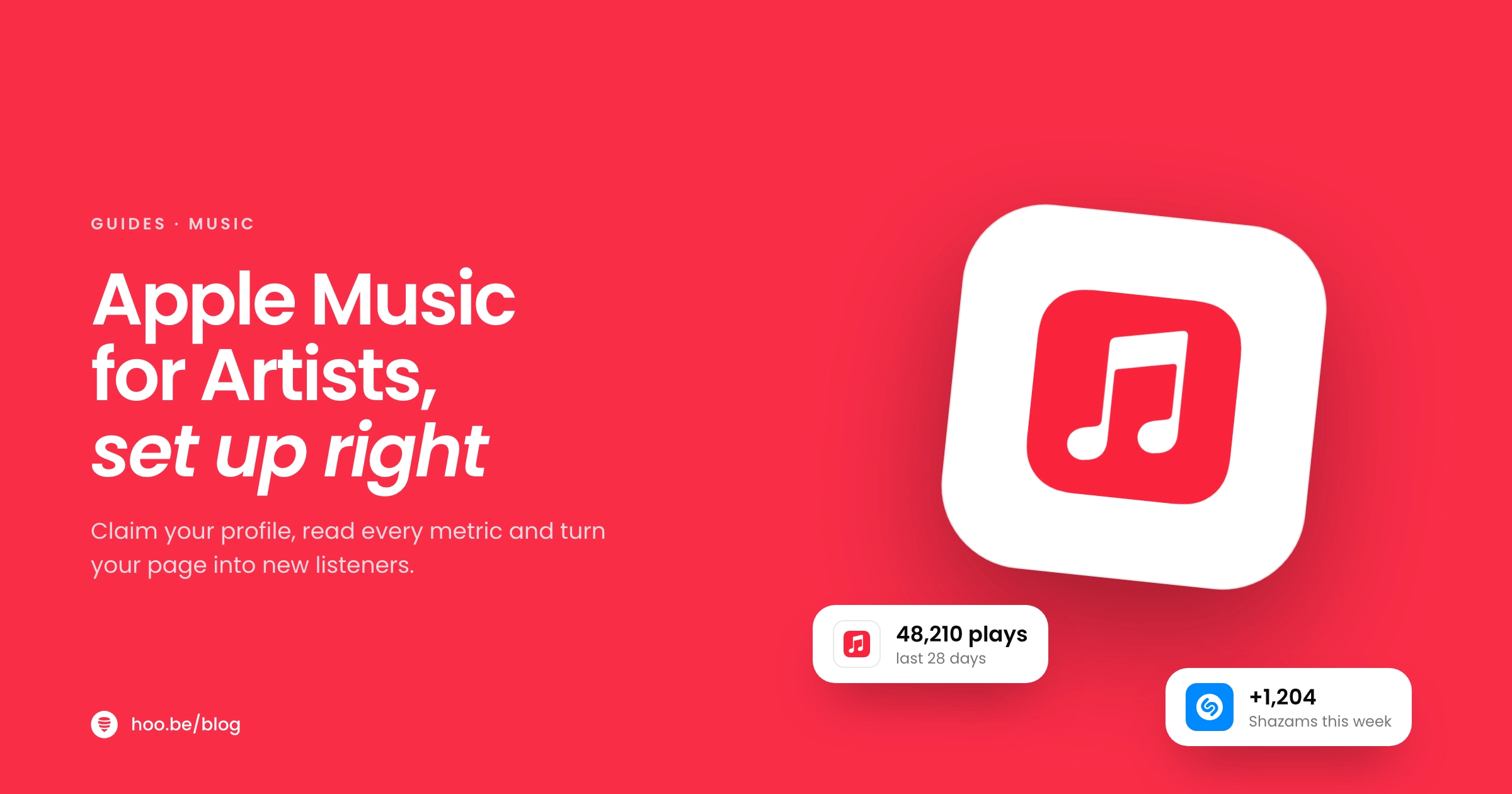
Apple Music for Artists is Apple's free dashboard for musicians. Once you claim your artist page, you can see plays, listeners, Shazams, purchases and radio spins for your music, customize your artist page with a logo, button color and a spotlighted release, and make promo assets and free smart links for every release.
Claiming takes a few minutes. Your music needs to be live on Apple Music for at least five business days, you need the primary artist role on the release, and Apple has to verify that you are the artist or their manager. You do not need a label: if a distributor delivered your music, you qualify.
This guide covers the full setup as of October 2026, what every metric means, the promotion tools most artists never open, and how to turn your profile into more listeners from your link in bio.
Key takeaways
- Apple Music for Artists is free, on the web and as an iPhone app.
- To claim your page, your music must be live for five business days and you must be the primary artist (or their manager).
- Analytics cover Apple Music, iTunes, Shazam and more than 40,000 radio stations. Data refreshes daily and takes about 48 hours to appear.
- You can spotlight a release on your artist page for up to 18 months, and get free Linkfire smart links from the Promote section.
- Apple Music has 116.1 million subscribers, so it is worth a proper setup, not just a distributor upload.
What is Apple Music for Artists?
Having music on Apple Music and having an Apple Music for Artists account are two different things. Your distributor puts your songs on the service. Apple Music for Artists gives you control over how you appear there and data on how it is going.
Apple Music holds 12.6% of the world's 921.6 million music subscribers, according to MIDiA's end-of-2025 figures, behind only Spotify and Tencent Music. That is a large audience to leave on autopilot.
Here is what the account gives you:
- Analytics on how your music performs across Apple Music, iTunes, Shazam and radio.
- Artist page controls: a logo, button color, spotlighted content, artist image and lyrics.
- Promote tools: custom social assets, Milestones and free Linkfire links.
- New Release Insights for your first seven days after a release.
- Team access, so a manager or label rep can help without sharing your login.

How do you claim your Apple Music for Artists profile?
You can claim on the web at artists.apple.com or in the Apple Music for Artists iPhone app. The steps are the same.
- Check your music has been live for five business days. Apple will not let you claim a page sooner. If your music is not on Apple Music at all, contact your distributor.
- Sign in with your Apple Account. Create one first if you do not have it.
- Tap Request Artist Access. Search for yourself by pasting your iTunes Store artist page link.
- Confirm your role. Only artists and artist managers can claim a page, and you must be the primary artist on the release. Featured artists cannot claim from a feature.
- Verify your identity. Add everything that proves it is you: your distributor, your website and your social accounts. The more you give, the faster the review.
- Wait for approval. Your request shows as Pending and you get email updates. If you hear nothing after 10 business days, contact Apple's support.
Pro tip
Claim early. The first artist or manager to claim a page gets Administrator access, and the Admin approves everyone who requests access after that. Make sure that person is you or someone you trust.
Who else can access your account?
Once you are in, invite your team from Account and pick a role for each person:
| Role | What they can do | Good for |
|---|---|---|
| Admin | View analytics, promote content, update the artist page and manage who has access | You and your manager |
| Analyst | View data and promote content (Measure, Promote and Account sections) | Label reps, marketing help |
| Profile Editor | Upload artist images, add and edit lyrics, edit artist details | An assistant or designer |
What do the Apple Music for Artists analytics show?
The Measure section is where most artists spend their time. Here is what each metric means, in Apple's own definitions.
| Metric | What it counts |
|---|---|
 Plays Plays | Playback started in Apple Music for more than 30 seconds, including radio station plays |
| Listening Now | Fans starting plays of your music right now (offline plays excluded) |
| Average Daily Listeners | Average daily unique listeners in the period you select |
 Purchases Purchases | Songs or albums bought from the iTunes Store |
 Shazam Count Shazam Count | Times your songs were recognized by the Shazam app |
| Radio Spins | Plays on more than 40,000 tracked terrestrial and digital stations worldwide |
| Video Views | Music video watched for more than 30 seconds |
| Milestones | All-time bests, top plays, Shazam highs and editorial playlist adds |
Source: Apple Music for Artists, Understand your analytics. Data refreshes daily and can take 48 hours to appear.
New Release Insights
On release day, a New Release Insights module appears in the Overview. It shows total plays, your top song and top city, and compares the release's first week with your earlier releases. New data can take up to eight hours to show, and it covers the first seven days.
Shazam data is your early warning
Shazam counts tell you where people are hearing your music and wanting to know what it is, often before they search for you. Apple shows Shazam trends, top countries and chart positions by city, and sends a weekly Trending on Shazam email when a song picks up. Use those cities to plan posts, ads and shows.

How do you customize your Apple Music artist page?
Go to Artist Content, then Artist Page. You can change three things there:
- Artist logo. Upload a logo that follows Apple's logo guidelines. Review takes up to five business days.
- Button color. Pick a suggested color or enter your own hex value for the Info, Play and Favorite buttons. Changes appear within hours.
- Spotlight. Pin an album, music video, playlist or radio show to the top of your page, for up to 18 months. You can only spotlight releases where you are the primary artist.
A few other parts of your page come from elsewhere:
- Artist bio: Apple sources biographies from Xperi, so bio changes go through Xperi.
- Concerts: concert details reach Shazam through
 Bandsintown, so keep your Bandsintown dates current.
 - Lyrics and artist image: Profile Editors and Admins can add these inside Apple Music for Artists.
Watch out
Set an end date on your spotlight, or plan to change it. A pinned single from 18 months ago tells new listeners you have been quiet. Move the spotlight to each new release on release day.
How do you promote a release with Apple Music for Artists?
The Promote section is the most underused part of the account. It does three jobs:
Custom social assets and Milestones
Pick a song, album or music video, choose a template, adjust the background color and download sizes for each social format. When you hit a Milestone, such as being added to a playlist, you can turn it into a shareable asset too.
Free Linkfire smart links
Apple has partnered with Linkfire to give artists smart links and landing pages for free. When a fan taps the link, they choose the service they want to listen on, based on what is available in their region. If you were about to pay for a smart link tool, compare it with this first. Our Linkfire alternatives guide covers the rest of the options.
Badges, embeds and links
Apple's Marketing Tools give you official Apple Music badges and icons in 42 languages, an embeddable player, and links that open straight in Apple Music on any device. In the embedded player, non-subscribers hear 30-second previews and signed-in subscribers can play full tracks.
Pre-adds and favorites
Pre-adds let fans add an upcoming release to their library before it comes out, then notify them the moment it goes live. Apple says releases with pre-adds saw significantly higher listens. If you are independent, your distributor sets them up with you. Then ask fans to tap Favorite on your artist page: they get a push notification for each new release and see it in their New Release recommendations.

How much does Apple Music pay artists?
Apple's most recent published figure, from its 2021 Apple Music Insights note, is an average per-play rate of $0.01 across individual paid plans, including both label and publisher royalties. Apple also said it pays the same 52% headline rate to all labels. Treat the per-play number as an average, not a promise: what reaches you depends on your distributor or label deal, the listener's country and their plan.
Apple Music for Artists shows plays and purchases, not payouts. Your royalty statements still come from your distributor or label.
How do you grow Apple Music listeners from your link in bio?
Many new listeners find you on social media first. The tap they take from your bio decides whether they hear the song. Make that tap count for Apple Music fans, not just Spotify ones.
- Lead with the newest release. Put it at the very top of your page on release day, with one line of context above it.
- Embed Apple Music, not just Spotify. On hoo.be you can embed Apple Music and Spotify on the same page, so neither audience has to switch apps.
- Use a release tile for everyone else. A Spotify track, album or artist link can become a hoo.be tile that sends fans to the release across every service.
- Ask for the favorite. Link to your Apple Music artist page with a clear label like "Follow me on Apple Music for new releases".
- Collect contacts. A simple email or phone form means your next release reaches fans directly.
- Check which links earn. Compare taps on your Apple Music links with plays in Apple Music for Artists after each release.
Our guide to the best link in bio setup for musicians shows the full page layout. For growing the list behind it, see how to build an email list from your link in bio, and use social SEO so new fans can find you by searching.
Send every fan to the right app
hoo.be holds your Apple Music and Spotify embeds, a release tile for every service, your shows and a signup form on one page, with click analytics for each link. Free to start, with paid plans at hoo.be/pricing.
Claim your hoo.beFrequently asked questions
Is Apple Music for Artists free?
Yes. Apple Music for Artists is free to use on the web at artists.apple.com, and the Apple Music for Artists app is free on the App Store for iPhone. You only need music live on Apple Music and an Apple Account.
How long does it take to claim an Apple Music for Artists profile?
Your music must be live on Apple Music for at least five business days before you can request access. After you apply, your request shows as Pending and Apple emails you updates. If you hear nothing after 10 business days, Apple asks you to contact support.
Why can't I claim my Apple Music artist page?
The most common reasons are that your music has been live for less than five business days, or that you are only a featured artist. You must have the primary artist role on the release, and only artists or artist managers can claim a page.
How often does Apple Music for Artists update?
Analytics refresh daily and can take 48 hours to appear in your dashboard. New Release Insights is faster: on release day, new data can take up to eight hours to show, and it covers your first seven days.
How much does Apple Music pay per stream?
Apple last published an average per-play rate of $0.01 for individual paid plans, in 2021, including label and publisher royalties. What you personally receive depends on your distributor or label deal, so check your royalty statements for real figures.
Can I pin a song to the top of my Apple Music artist page?
Yes. In Artist Content, open Artist Page and use Spotlight to feature an album, music video, playlist or radio show for up to 18 months. You can only spotlight content where you are the primary artist.
Can I add Apple Music to my link in bio?
Yes. On hoo.be you can embed Apple Music alongside Spotify, SoundCloud and YouTube, and add a release tile that sends fans to your release on every service. Apple's own Marketing Tools also provide an embeddable player and official badges.
Sources
- Apple Music for Artists
- Apple Music for Artists, Claim your artist page
- Apple Music for Artists, FAQs
- Apple Music for Artists, Manage users on your account
- Apple Music for Artists, Understand your analytics
- Apple Music for Artists, New Release Insights
- Apple Music for Artists, See how Shazam works for artists
- Apple Music for Artists, Personalize your artist page
- Apple Music for Artists, How to make the most of Promote
- Apple Music for Artists, The value of Linkfire links
- Apple Music for Artists, Apple Music Marketing Tools
- Apple Music for Artists, Apple Music pre-adds
- Apple Music for Artists, Keep your fans in the loop with favorites
- Apple Music for Artists, Apple Music Insights: Royalties (Jun 2021)
- App Store, Apple Music for Artists
- Music Ally, Music business ended 2025 with 921.6m paid streaming subscribers (Jun 2026)