In this article
- Why do musicians need a smart link at all?
- What does Linkfire cost in 2026?
- What are the best Linkfire alternatives?
- Smart link, Spotify embed or release tile: what's the difference?
- How do you add your release to your link in bio?
- What should a release-day link in bio look like?
- When is a paid smart link worth it?
- Frequently asked questions
The best Linkfire alternative depends on what you actually use Linkfire for. If you just need one link that sends every fan to their own streaming service, you can do it free: Apple Music for Artists gives you Linkfire links at no cost, Odesli (song.link) is free, and Feature.fm and Hypeddit both have free plans. If you want the release on your link in bio, a Spotify link can become a release tile that covers every service, with no separate smart link at all.
Linkfire itself is a strong product. It is trusted by major labels and over 50,000 artists, according to its own site, and its paid plans start at $27 a month. That is worth it for label-grade analytics across many releases. For an independent artist pushing one single at a time, it is often more than you need.
This guide compares the main options as of October 2026, explains the difference between a smart link, a Spotify embed and a release tile, and shows you how to set up your bio page for release day.
Key takeaways
- Spotify has 31.4% of the world's music subscribers. A Spotify-only link misses most paying listeners.
- Linkfire Pro costs $27 a month, or $21 a month billed yearly, with a free trial.
- Free alternatives exist: Apple Music for Artists includes free Linkfire links, Odesli is free, and Feature.fm and Hypeddit have free plans.
- A Spotify embed is not a smart link. In some situations it only streams a preview of under 30 seconds, and it only opens Spotify.
- For most independent releases, a release tile on your link in bio does the job of a smart link, in the place fans already tap.
Why do musicians need a smart link at all?
Because your fans are split across services. If you post a Spotify link, everyone on Apple Music, YouTube Music or Amazon Music has to search for your song themselves. Many won't.
Share of global music subscribers, end of 2025
Spotify leads, but it holds less than a third of paying subscribers. Apple Music has 116.1 million subscribers and YouTube Music 114.3 million, and MIDiA named YouTube Music the service with the most growth momentum in 2025. Streaming is also where the money is: the IFPI's Global Music Report 2026 says streaming made up 69.6% of recorded music revenue in 2025.
A smart link (also called a fan link or a landing page) solves this. Fans tap once, see a list of services, and open your release in the one they already pay for.

What does Linkfire cost in 2026?
Linkfire's pricing page lists four tiers. Every plan includes full feature access; what scales is the number of artist workspaces and seats.
- Pro: $27 a month, or $21 a month billed yearly. One artist workspace, unlimited smart links (bio, pre-release, release, podcast, reward and content links), unlimited widgets and QR codes, and analytics.
- Teams: $55 a month, or $45 billed yearly. Up to five artist workspaces plus workspace-level reports.
- Premium and Enterprise: custom pricing, with raw data export, account management and API access.
There is a free trial with no credit card required, and a limited free account after the trial ends.
What you pay for is depth: pre-save campaigns, streaming-service insight and attribution data across many releases. If you are a label or a manager with a roster, that matters. If you release a single every couple of months, start with the free options below.
What are the best Linkfire alternatives?
Here are the realistic options, using each company's own pricing page.
| Tool | Free option | Paid from | Pre-saves | Best for |
|---|---|---|---|---|
 Linkfire Linkfire | Free trial, then limited free account | $27/mo ($21 billed yearly) | Yes | Labels, managers, deep analytics |
 Apple Music for Artists Apple Music for Artists | Free Linkfire links | Free | Pre-adds via your distributor | Any artist with music on Apple Music |
| Odesli (song.link) | Everything is free | Free | No | Quick links for any song or album |
| Feature.fm | Free plan, 1 pre-save service, 7-day analytics | $8/mo | Yes | Pre-save campaigns on a budget |
| Hypeddit | Free Rookie plan | $9/mo | Paid plans | Pre-saves, download gates, music ads |
 hoo.be hoo.be | Free plan | See hoo.be/pricing | No | Your release on your link in bio |
Sources: each company's pricing page or help center, checked October 2026.
Apple Music for Artists: free Linkfire links
This is the option most artists miss. Apple has partnered with Linkfire to give artists smart links and landing pages for free inside Apple Music for Artists. Go to Promote on the web, pick a song, album or music video, and follow the asset flow. When a fan taps your link, they choose the service they want to listen on, based on what is available in their region.
You need to claim your Apple Music for Artists profile first. Our Apple Music for Artists guide walks through it.
Odesli (song.link): free and automatic
Odesli builds a page for any song, album or podcast on the major platforms automatically, and says plainly that all of its features are free. The automated pages cannot be edited. Its custom pages let you add links to tickets, merch and your website, plus YouTube embeds, on domains like song.link, album.link and artist.link.
Feature.fm: the closest like-for-like
Feature.fm covers the same ground as Linkfire: smart links, pre-saves, bio links and analytics. The free plan gives unlimited links and landing pages, one pre-save service and 7-day analytics. Basic Artist is $8 a month (three pre-save services, 28-day analytics), Artist is $19, and Pro Artist is $39 with lifetime analytics, a custom domain and unlimited retargeting pixels.
Hypeddit: built for growth campaigns
Hypeddit pairs smart links with pre-saves, download gates and fan email collection. Basic costs $9 a month, and Pro at $13 a month adds AI-powered music ads for Spotify, YouTube and TikTok, plus fan analytics. The free Rookie plan includes unlimited smart links and download gates.
Pro tip
You do not have to pick one. Use Apple's free Linkfire link (or Odesli) for posts and ads, and put the release itself at the top of your link in bio. The smart link handles the share. The bio page handles everyone who comes looking for you later.
Smart link, Spotify embed or release tile: what's the difference?
These three get mixed up, and they do different jobs.
| Format | What fans see | Services covered | Where it lives |
|---|---|---|---|
| Smart link | A landing page with a button per service | All major services | Its own URL, shared in posts and ads |
 Spotify embed Spotify embed | A Spotify player inside your page | Spotify only | Inside a website or bio page |
| Release tile | Your artwork with links out to each service | Every service | Inside your link in bio |
The limits of a Spotify embed
A Spotify embed is great for Spotify listeners. Everyone else is stuck. Spotify's own developer documentation notes that in some situations the embed will only stream a preview clip of less than 30 seconds, and that embeds work best in Chrome, Firefox, Edge, Opera and Safari. That is fine as a teaser, but it is not a replacement for a link that opens a fan's own app.
Why a release tile is often enough
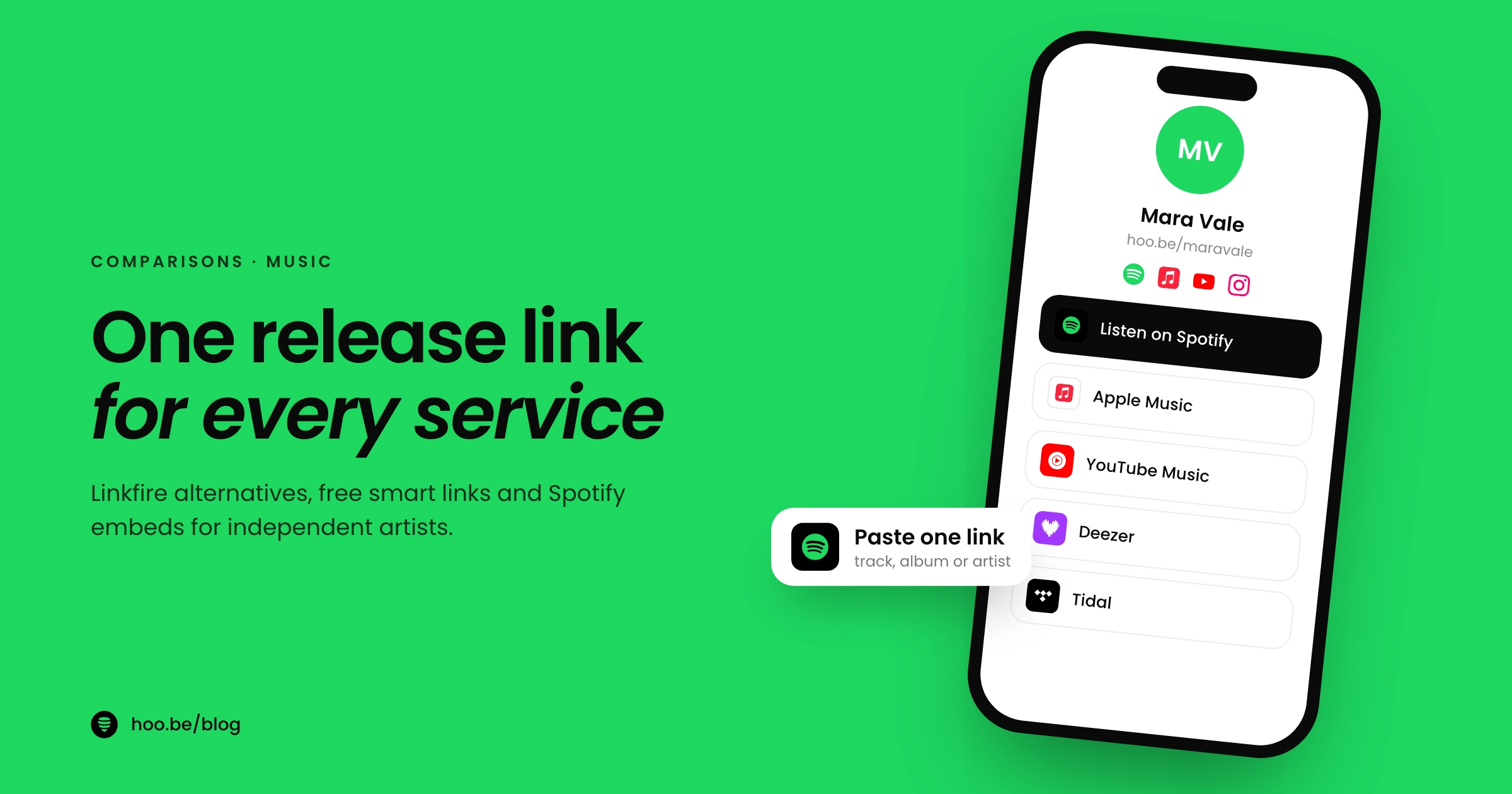
On hoo.be, pasting a Spotify track, album or artist link can turn it into a release tile that points fans to your release across every service. You get the main benefit of a smart link (no one is forced onto Spotify) without paying for or maintaining a separate page, and it sits on the page fans already reach from your Instagram or TikTok bio.

How do you add your release to your link in bio?
Here is the full setup on hoo.be. It takes about as long as making a smart link.
- Copy your Spotify link. In Spotify, open the track, album or artist page, tap Share and copy the link. It will look like open.spotify.com/track/..., /album/... or /artist/....
- Open your page. Sign in at hoo.be, go to My Pages and open your page.
- Paste it into Add Content. Open Add Content and paste the link. Show it as a release tile that sends fans to every service, or as a Spotify embed if you want a player on the page.
- Add the rest of your release kit. An Apple Music or SoundCloud embed, a Bandsintown or Ticketmaster embed for shows, and a Laylo embed if you run drops there.
- Pin it to the top. Move the release above everything else for release week.
- Publish and test. Tap through from your own Instagram bio on your phone and check each service opens correctly.
Watch out
Do not leave last year's single at the top of your page. Fans who find you through a new song and land on an old one often leave. Swap the release tile on release day, and move older releases down rather than deleting them.
What should a release-day link in bio look like?
Keep it short. Fans arrive from a post or a story with one thing in mind: hearing the new song.
- 1. The new release as a release tile, with a one-line hook above it ("New single out now").
- 2. A player (Spotify or Apple Music embed) for people who want to press play right there.
- 3. Your next show through a Bandsintown, Ticketmaster or Events block.
- 4. A way to stay in touch, such as an email or phone signup form, so you can reach fans on the next release without an algorithm in the way.
- 5. Merch or tips with a Product block or the Tips block, for fans who want to support you directly.
For the full layout, see the best link in bio setup for musicians. And check you are not making any of the common link in bio mistakes, like burying the release under ten other links.

When is a paid smart link worth it?
Pay for Linkfire, Feature.fm or Hypeddit when you need things a free link or a bio page cannot do:
- Pre-save campaigns that save the release to fans' libraries on release day.
- Per-service analytics, showing which streaming services your fans pick after they tap.
- Retargeting pixels on every link, for artists running paid ads to each release.
- Many artists or releases, where team workspaces and reports save real time.
If none of those apply yet, you can stay free. Track taps on your bio page, and add a Facebook Pixel, TikTok Pixel or Google Analytics ID to it when you start running ads. Then upgrade to a paid smart link when a release campaign actually needs pre-saves or per-service data.
New to link in bio tools? Start with what a link in bio tool is, then compare options in our Linktree alternatives guide.
Put your next release where fans already tap
hoo.be turns a Spotify link into a release tile for every service, and holds your players, shows, signup form and merch on the same page. Free to start, with paid plans at hoo.be/pricing.
Claim your hoo.beFrequently asked questions
Is there a free alternative to Linkfire?
Yes. Apple Music for Artists gives artists free Linkfire smart links through its Promote section, Odesli (song.link) says all of its features are free, and Feature.fm and Hypeddit both have free plans. A release tile on your link in bio is another free way to send fans to every service.
How much does Linkfire cost?
Linkfire Pro costs $27 a month, or $21 a month billed yearly, for one artist workspace with unlimited smart links. Teams costs $55 a month, or $45 billed yearly, for up to five workspaces. Premium and Enterprise are custom priced, and there is a free trial with no credit card required.
What is the difference between a smart link and a Spotify embed?
A smart link is a landing page that lets each fan open your release on the service they use. A Spotify embed is a Spotify player placed inside a web page, so it only serves Spotify listeners, and in some situations it only streams a preview clip of under 30 seconds.
Can I get Linkfire links through Apple Music for Artists?
Yes. Apple has partnered with Linkfire to provide smart links and landing pages to artists for free. Go to Promote in Apple Music for Artists on the web, choose what you want to promote and follow the asset flow. You need a claimed artist profile first.
Do I need a smart link if I have a link in bio?
Not always. If your release sits at the top of your link in bio as a tile that sends fans to every service, that covers the main job of a smart link. Paid smart links are worth adding when you need pre-saves, per-service analytics or retargeting pixels for ads.
Which streaming service has the most subscribers?
Spotify, with 31.4% of the 921.6 million music subscribers worldwide at the end of 2025, according to MIDiA Research. Tencent Music, Apple Music and YouTube Music follow with roughly 12% to 14% each, which is why a single-service link misses most fans.
Sources
- Linkfire, Pricing
- Linkfire, Smart links for music marketing
- Music Ally, Music business ended 2025 with 921.6m paid streaming subscribers (Jun 2026)
- MIDiA Research, Music subscriber market shares Q4 2025 (Jun 2026)
- IFPI, Global Music Report 2026 (Mar 2026)
- Apple Music for Artists, The value of Linkfire links
- Apple Music for Artists, How to make the most of Promote
- Apple Music for Artists, Apple Music pre-adds
- Odesli, Pricing
- Feature.fm, Pricing
- Hypeddit, Pricing
- Spotify for Developers, Embeds troubleshooting