In this article
- How does Later's Link in Bio work in 2026?
- How much does Later's Link in Bio cost?
- Why look for an alternative to Later's Link in Bio?
- What are the best Later Link in Bio alternatives in 2026?
- Which alternatives keep a shoppable, feed-style page?
- How do the prices compare?
- How do you move from Later to a standalone link in bio?
- Should you keep Later for scheduling and use a separate bio page?
- Frequently asked questions
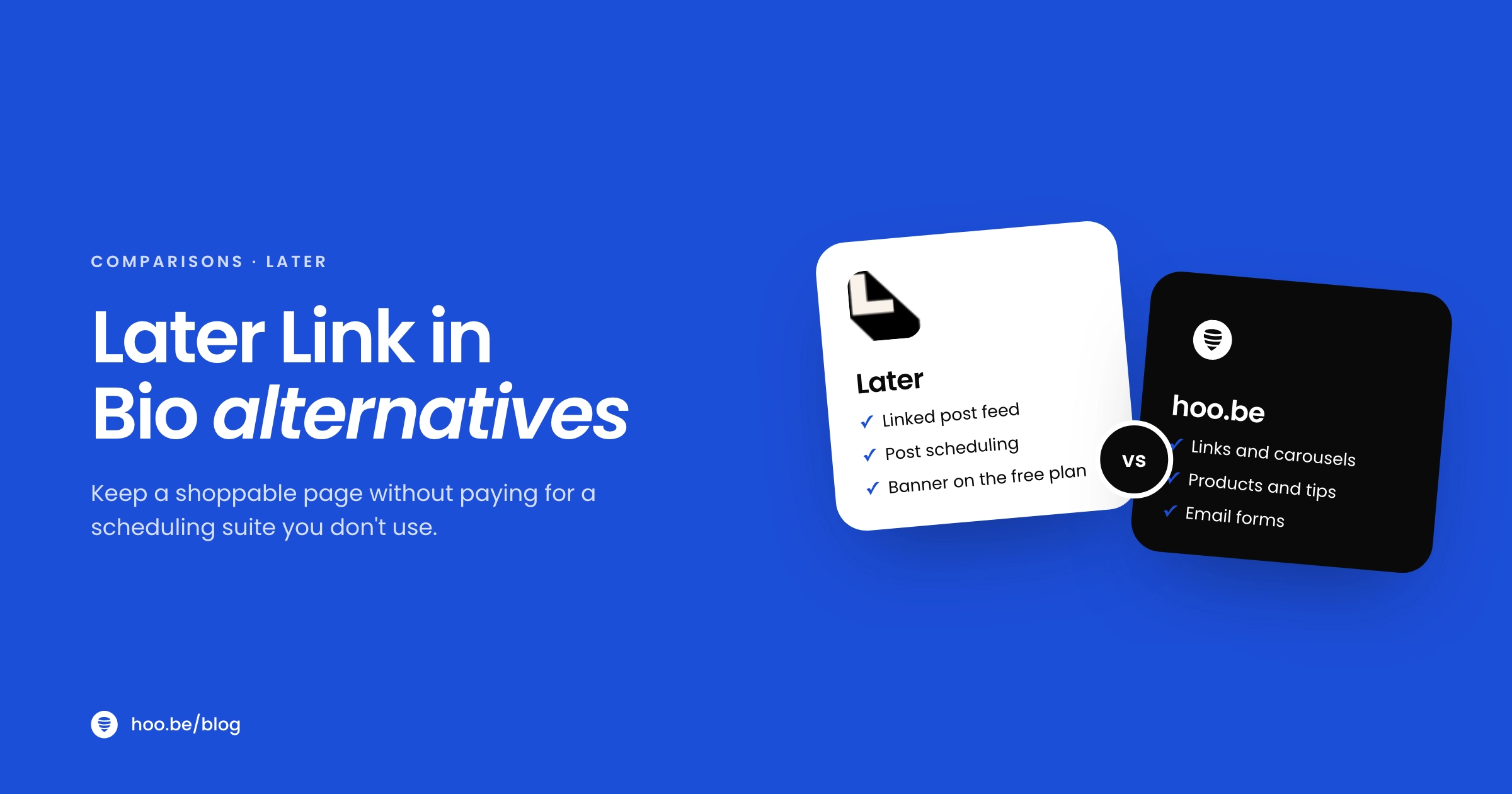
The best Later Link in Bio alternatives in 2026 are hoo.be for a standalone page that sells and takes tips, Lnk.Bio for the closest feed-style page at the lowest cost, Campsite.bio for a clean visual page with an Instagram grid, Linktree if you want scheduling and a bio page in one subscription, and Beacons or Milkshake for selling. If you schedule every post with Later and love the shoppable grid, staying is reasonable.
Later's Link in Bio is not a separate product. It is a feature of Later Social, a scheduling suite. You can use it on Later's free plan, but your page carries a Later banner. Removing the banner, seeing a full year of click data and editing your page's SEO all need the Starter plan at $25 a month, or $18.75 a month billed yearly.
That is a fair price if you use the scheduler. If you do not, you are paying for a tool you never open. This guide compares the alternatives on current pricing, shows which ones keep a feed-style page, and explains how to move without breaking any links.
Key takeaways
- Later's Link in Bio is free on Later's free plan, with a Later branded banner and up to 3 months of click data.
- Starter ($25 a month, or $18.75 billed yearly) removes the banner and adds a year of click data, SEO settings and custom UTM parameters.
- For a feed-style page without a scheduler, Lnk.Bio's Mini plan adds Instagram and TikTok sync and a grid that mirrors your feed, from $0.99 a month.
- Linktree Premium ($35 a month, or $30 billed annually) now includes social scheduling, so it can replace both halves of Later for some creators.
- You can keep Later for scheduling and still use any link in bio tool. The two do not have to come from the same company.
How does Later's Link in Bio work in 2026?
Later describes Link in Bio as a mini website built into your social profile. Your page shows a feed of your Instagram and TikTok posts, and each post can link to a product, article or signup page. A follower who taps a post on your page lands where you sent them, which is useful when your caption says "link in bio."
According to Later's pricing page and Help Center, the feature set includes:
- Linked posts. Add up to five links to each Instagram post (including Reels) and one link to each TikTok post.
- Buttons and a featured banner. Unlimited buttons plus a featured banner for your most important link.
- Email capture. An email collection form and a Mailchimp connection.
- Affiliate links. Connect a Mavely account to generate affiliate links for products you promote.
- Design controls. Themes, colors, fonts and button styles, plus a featured YouTube video.
- Linktree import. Later can import an existing Linktree page, including links and design.
One rule worth knowing: Later's own FAQ says that for a link in your TikTok bio you need a TikTok Business account with more than 1,000 followers. Also, links only show up as posts on your page if you attach them to an Instagram or TikTok post, so the page will not mirror your full feed unless you link every post.

How much does Later's Link in Bio cost?
Later Social has four plans. Link in Bio is included on all of them, but the features change by plan:
| Plan | Price | Link in Bio on this plan |
|---|---|---|
| Free | $0 | Customizable page, linked Instagram and TikTok posts, up to 3 months of click data, Later branded banner |
| Starter | $25/mo, or $18.75/mo billed yearly | No Later branding, up to 1 year of click data, SEO customization, custom UTM parameters |
| Growth | $50/mo, or $37.50/mo billed yearly | Starter features plus Pinterest click tracking, with more scheduling capacity and a second user |
| Scale | $110/mo, or $82.50/mo billed yearly | Growth features plus up to 2 years of Link in Bio analytics |
Paid plans start with a 14-day free trial. Sources: Later pricing page and Later Help Center, October 2026.
The paid plans are priced for the scheduler, not the bio page. Starter includes one social set (one profile on each of eight platforms), one user and 30 scheduled posts per profile each month. Growth adds a second user, team approvals and a social inbox. If you only want the bio page, most of that value goes unused.
Why look for an alternative to Later's Link in Bio?
- You do not use Later to schedule. If you post natively from each app, the scheduling half of your subscription is wasted.
- The free banner. On the free plan your page carries a Later branded banner. Removing it costs at least $18.75 a month.
- You want to sell from the page. Later supports affiliate links through Mavely, but it does not have a built-in store for digital products, tips or event tickets.
- Your page is mostly buttons anyway. If you rarely link individual posts, the feed format adds little and a standalone tool gives you more block types.
- Analytics on the free plan. Free shows up to 3 months of click data for buttons and social links.

What are the best Later Link in Bio alternatives in 2026?
1. hoo.be: best standalone page for earning
hoo.be is a link in bio platform with no scheduler attached. Your page at hoo.be/yourname is built from blocks: links, swipeable Carousels, Product blocks with a price and shop button, Tips, Events with ticket links, and Forms for emails, phone numbers and other fields. You can embed content from 19 platforms, including Instagram, TikTok, YouTube, Threads and Substack, and connect accounts like Instagram, TikTok and YouTube.
For shoppers, product links recognize 30 shopping platforms, including Amazon, LTK, ShopMy and Shopify, and there is a field for your Amazon affiliate tag. Tips are paid through Stripe, with a hoo.be platform fee of 9% on Free, 5% on Pro and 0% on Premium, plus Stripe processing. Pro adds branding removal, page scheduling, a scheduled redirect link, custom SEO and referrer, device and location analytics. Prices are on hoo.be/pricing.
Trade-off: hoo.be does not schedule your social posts, so if you rely on Later's calendar you would keep Later for that.
2. Lnk.Bio: closest feed-style page for the least money
Lnk.Bio's Mini plan, from $0.99 a month, adds Instagram and TikTok sync, a layout that mirrors your Instagram grid and scheduled links. Its Unique plan costs $24.99 once and adds logo removal, custom colors, a built-in shop and newsletter forms. Lnk.Bio also lists Instagram, TikTok, Bluesky and YouTube schedulers in its feature table, so check whether it covers your posting needs too.
Trade-off: the settings are extensive and take some learning. See our Lnk.Bio alternatives guide.
3. Campsite.bio: best clean visual page on a budget
Campsite's free plan includes unlimited links and an image grid built from your latest Instagram posts. Pro costs $7 a month and adds branding removal, a custom domain, scheduled links, opt-in forms, pixels and 60 days of analytics with referrer and device data.
Trade-off: the free plan keeps Campsite branding and only shows 14 days of analytics. Our Campsite alternatives comparison covers it in detail.
4. Linktree: best if you want scheduling too
Linktree's Premium plan ($35 a month, or $30 billed annually) now includes social media scheduling and Instagram auto-replies alongside all-time analytics and data export. That makes it one of the few tools that can replace both halves of Later. If you only need the page, Pro ($15 a month, or $12 annually) removes Linktree branding and lets you sell with 0% Linktree fees.
Trade-off: the page is a list of links by default, not a post feed. More in our Linktree alternatives guide.
5. Beacons: best for a full creator storefront
Beacons pairs a link in bio with a store, email marketing, an auto-updating media kit and Instagram auto-DMs. The free plan includes selling unlimited digital products at a 9% seller fee and 50 email sends a month. Creator ($10 a month) adds a free custom domain. Creator Plus ($30 a month) drops the seller fee to 0% and removes Beacons branding.
Trade-off: branding removal sits on a higher tier than most alternatives.
6. Milkshake: best mobile-first builder
Milkshake builds a swipeable website from "Cards" on your phone. The free plan includes unlimited links, templates and QR code sharing. Lite ($2.99 a month) removes Milkshake branding, and Pro ($6.99 a month, or $59.99 a year) adds a mailing list connection, contact form, SEO tools and a Meta pixel. Sales carry a Milkshake fee of 12% on Free and Lite, 9% on Pro and 7% on Pro+.
Trade-off: the swipe format is different from both a feed and a list, so test it with your audience. Our Milkshake alternatives guide has more.
Which alternatives keep a shoppable, feed-style page?
If the post grid is the reason you chose Later, you have three real options:
| Tool | Feed or grid feature | Plan needed |
|---|---|---|
| Later | Linked Instagram and TikTok posts on your page | Free (with banner) |
| Lnk.Bio | Instagram and TikTok sync, grid that mirrors Instagram | Mini, from $0.99/mo |
| Campsite.bio | Image grid from your latest Instagram posts | Free |
 hoo.be hoo.be | Instagram and TikTok embeds, swipeable Carousel blocks | Free |
 Linktree Linktree | Link list, with social scheduling on Premium | Premium for scheduling |
Pro tip
Ask yourself how often followers actually tap a specific post on your bio page. If most clicks go to two or three evergreen links, a fast page with those links at the top will usually beat a full grid. Check your current Link in Bio analytics before you decide, and run our link in bio audit on the result.
How do the prices compare?
The most useful single number is what each tool charges to take its own branding off your page, since that is the first upgrade most creators make.
Monthly price to remove the tool's branding (monthly billing)
Price is only part of it. Beacons Creator Plus also removes seller fees, and Later Starter includes a scheduler, so match the plan to what you will actually use. For more tools side by side, see our link in bio pricing comparison.
How do you move from Later to a standalone link in bio?
The goal is that no follower ever taps a dead link. Do it in this order.
- Check your Later analytics. Note your most-clicked buttons and linked posts. These go at the top of your new page.
- List every link worth keeping. Evergreen links (shop, newsletter, booking) move as buttons. Product links from recent posts can become product or carousel blocks.
- Build the new page and match your style. Same profile photo, colors and fonts, so returning visitors know they are in the right place.
- Reconnect email capture. If you used Later's email form or Mailchimp connection, set up the equivalent form on the new page and test a signup.
- Update every bio at once. Instagram, TikTok and anywhere else your Later link appears, including your email signature.
- Keep Later if you still schedule. You can keep scheduling in Later on any plan. Just stop using its bio page.

Should you keep Later for scheduling and use a separate bio page?
For many creators, yes. Scheduling and your link in bio solve different problems. Later's scheduler handles when and where your posts go out. Your bio page handles what happens after someone is interested enough to tap. Nothing stops you from using Later's free or paid scheduler with any link in bio tool.
Keep everything in Later if you link most posts to specific products and the shoppable grid drives your sales. Split them up if your page is really a handful of buttons, if you want to sell or take tips directly, or if the scheduler is the only reason you pay. Our guide to what to add to your link in bio will help you decide what the new page should hold.
A bio page that works without a scheduler
hoo.be puts your links, products, tips, events and email signup on one page, with analytics that show what gets tapped. Free to start, no scheduling subscription needed.
Claim your hoo.beFrequently asked questions
Is Later's Link in Bio free?
Yes. Later's free plan includes a customizable Link in Bio page with linked Instagram and TikTok posts and up to 3 months of click data. The page shows a Later branded banner. Removing it requires a paid plan, starting with Starter at $25 a month or $18.75 a month billed yearly.
Do I need a Later subscription to use Later's Link in Bio?
No paid subscription is required for the basic page. Paid plans add branding removal, a year or more of click data, SEO settings and custom UTM parameters. Those plans also include Later's full scheduling tools.
What is the cheapest alternative to Later's Link in Bio?
Lnk.Bio is the cheapest paid option, with a Mini plan from $0.99 a month that includes Instagram sync and a grid that mirrors your feed, or a one-time $24.99 Unique plan. Milkshake Lite removes branding for $2.99 a month. Several tools, including hoo.be, Linktree and Campsite, have free plans.
Can I sync my Instagram grid to a link in bio page without Later?
Yes. Lnk.Bio offers Instagram and TikTok sync and a grid layout that mirrors Instagram on its Mini and Unique plans. Campsite.bio's free plan includes an image grid built from your latest Instagram posts.
Can I add a link in bio to TikTok with any tool?
TikTok controls who can add a website to their bio. Later's FAQ says you need a TikTok Business account with more than 1,000 followers. The rule is TikTok's, so it applies whichever link in bio tool you use.
Which alternative also schedules social posts?
Linktree Premium includes social media scheduling, and Lnk.Bio lists Instagram, TikTok, Bluesky and YouTube schedulers in its feature table. Most other link in bio tools, including hoo.be, focus on the page itself.
Can I move my Later Link in Bio page to another tool automatically?
Plan to rebuild the page by hand unless your new tool offers an import. It usually takes under an hour: list your top links from Later's analytics, recreate them on the new page, then update every bio at once.
Sources
- Later, Pricing and plan comparison (accessed Oct 2026)
- Later Help Center, Link in Bio features by plan
- Later Help Center, Choose a Later Social plan
- Later, Link in Bio product page and FAQ
- Lnk.Bio, All features by plan (updated May 2026)
- Campsite.bio, Pricing and plan comparison (accessed Oct 2026)
- Linktree, Pricing (accessed Oct 2026)
- Beacons, Plans and feature comparison (accessed Oct 2026)
- Milkshake, Pricing and selling fees (accessed Oct 2026)