In this article
- What does "one idea, a week of posts" actually mean?
- How do you choose an idea that can fill a whole week?
- What does a one-idea content week look like?
- Which format works best on each platform?
- How do you repurpose content without being repetitive?
- How do you batch a week of posts in one session?
- How do you know which version worked?
- Where should a week of posts send people?
- Frequently asked questions
To turn one content idea into a week of posts, make one solid "core" piece first, then reshape it into five to seven smaller posts, each with a different angle and built for the format where it will live. A 10-minute video becomes three short clips, a carousel, a Q&A, a behind-the-scenes Story and a newsletter. One idea, one round of research, a full week of posting.
This works because platforms reward different formats. Buffer's 2026 analysis of millions of posts found Instagram carousels earned about twice the engagement rate of Reels, while Reels reached more people. LinkedIn carousels did even better. The same idea, packaged differently, does a different job in each place.
Below is the full system: how to pick an idea that stretches, a day-by-day plan, the format that wins on each platform, how to avoid looking repetitive, and how to batch the whole week in one afternoon.
Key takeaways
- Start with one core piece, ideally a longer video or written post, and cut everything else from it.
- Give each post a different angle: the hook, the steps, the story, the mistake, the question, the deep dive.
- Match format to platform. On Instagram, carousels had a 6.90% median engagement rate in Buffer's 2026 data, against 3.31% for Reels.
- Re-edit, do not repost. New hooks, native captions and fresh cuts keep each version original.
- Send every post to one place that holds the full resource, then use the week's numbers to choose next week's idea.
What does "one idea, a week of posts" actually mean?
It does not mean posting the same video seven times. It means doing the hard part once (the thinking, the research, the filming) and then presenting the result in several ways. Some people want the 30-second version. Some want to save a step-by-step carousel. Some want the full story in a newsletter. Repetition is useful when each post gives a different angle or level of detail.
There are three practical wins. You spend less time thinking about what to post, which is the main reason creators stall (see how to create content when you have no ideas). You go deeper on one topic, which builds authority. And the people who meet the idea several times are more likely to remember you for it.

How do you choose an idea that can fill a whole week?
Not every idea stretches. A quick reaction to a trend is one post. A useful answer to a real question can be seven. Before you commit, check that your idea has at least four of these:
- A clear promise. "How to batch a month of meals in two hours," not "meal prep."
- Steps. Anything with a process becomes a carousel or a tutorial.
- A story. Why you started, what went wrong, what changed.
- A mistake people make. Mistakes make strong hooks.
- A result you can show. Before and after, numbers, a finished product.
- Questions people ask. Each question is a short post of its own.
Then do the five-angle test. Write five different first lines for the idea. If you can, it will fill a week. If you are stuck at two, pick a bigger idea. The best candidates are usually topics that already did well for you or questions you get every week.
What does a one-idea content week look like?
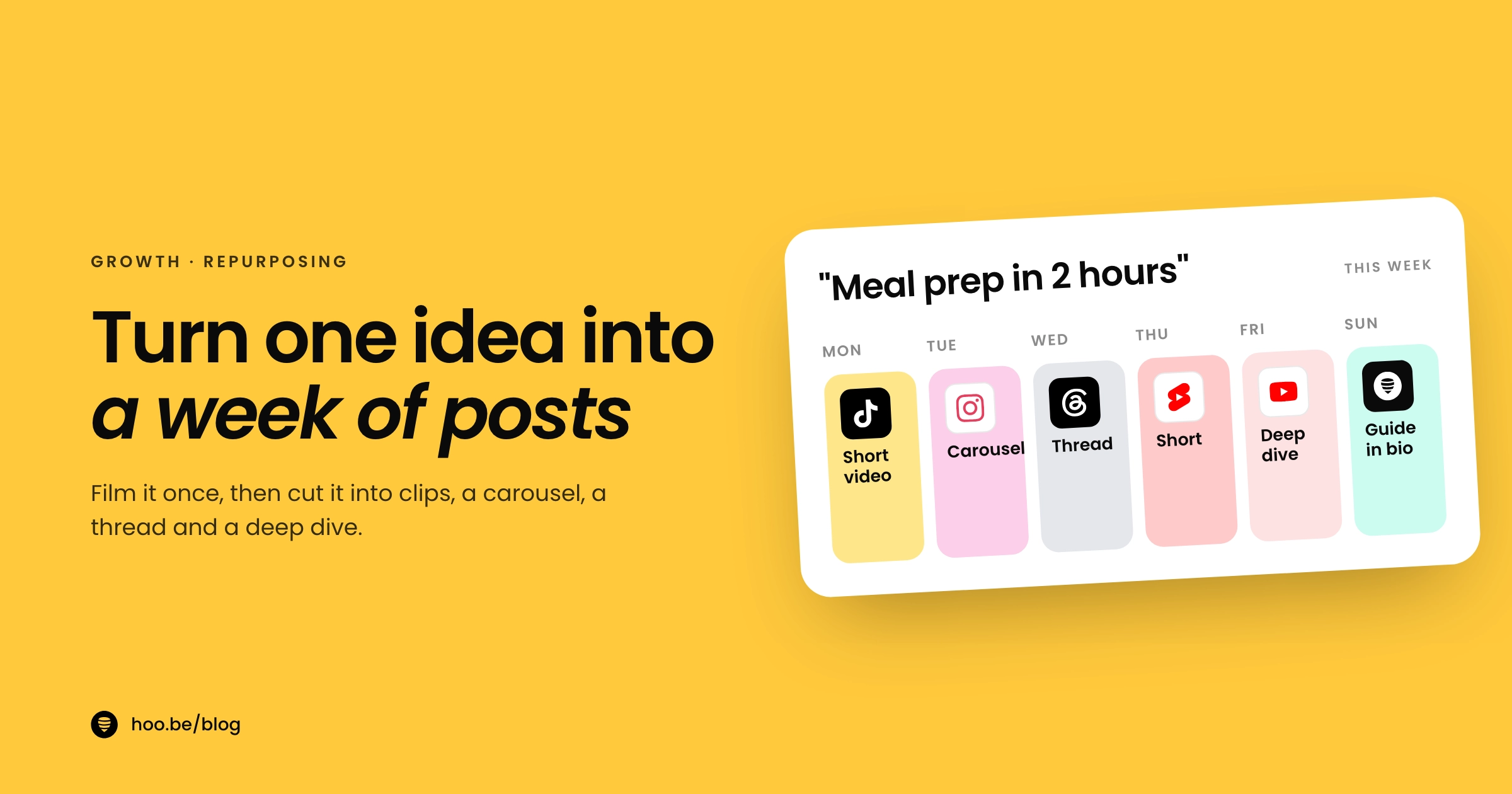
Here is a template you can copy. The core piece is filmed or written on Monday; everything else is cut from it.
| Day | Format | Angle | Where |
|---|---|---|---|
| Mon | Short video, 30 to 60 seconds | The hook: the single most surprising tip |  TikTok, TikTok,  Reels, Reels,  Shorts Shorts |
| Tue | Carousel | The steps, one per slide, saveable | Instagram,  LinkedIn LinkedIn |
| Wed | Behind the scenes | How you made it, or the messy first try | Stories,  Snapchat Snapchat |
| Thu | Text post or Q&A | The mistake, or one question answered |  Threads, Threads,  X X |
| Fri | Long video or newsletter | The deep dive, with the full context | YouTube,  Substack Substack |
| Sat | Second short clip | A different moment from the core piece | TikTok,  Pinterest Pinterest |
| Sun | Recap and link | "Everything from this week in one place" | Story plus your link in bio |
You do not need every platform. Pick the two or three where your audience already is and drop the rest. Three to five posts a week is plenty: Buffer's 2025 study of 2.1 million Instagram posts called that range the sweet spot for reach and growth without burnout.
Which format works best on each platform?
This is why repurposing beats copy and paste. Each format does a different job, and the numbers show it. Buffer's 2026 engagement report measured median engagement as a share of reach:
Instagram median engagement rate by format
Reels still win on reach. Buffer found Reels got about 1.36 times the reach of carousels, while carousels got about 2.09 times the engagement rate of Reels. So use short video to get discovered and carousels to get saved. One idea needs both.
And each platform has its own rules for length and size. These are the limits that matter when you cut one idea into several posts:
| Platform | Format | What to know in 2026 |
|---|---|---|
| Instagram | Reels | Record up to 20 minutes, but reels over 3 minutes are not recommended to new audiences |
| Instagram | Carousel | Up to 20 photos and videos in one post; videos inside a carousel are not treated as reels |
| YouTube | Shorts | Vertical videos up to 3 minutes long |
| TikTok | Video | Creator Rewards only pays for original videos over one minute |
| LinkedIn | Carousel | Highest-engagement format in Buffer's 2026 data |
| Threads | Video and text | Video led engagement (5.55%), text posts trailed (2.79%) |
Limits from Instagram, YouTube and TikTok official help and newsroom pages; engagement rates from Buffer's 2026 report. Checked October 2026.
How do you repurpose content without being repetitive?
Platforms want original content, and so does your audience. The difference between repurposing and reposting is the edit.
Change the hook every time
The first line or first second decides whether anyone watches. A new hook makes the same information feel new: lead with the mistake on one day, the result on another, the question on a third.
Re-edit for each platform
Cut fresh clips from the raw footage rather than downloading and re-uploading a finished video. Rewrite captions in the platform's voice. A LinkedIn caption that reads like a TikTok caption gets scrolled past. Instagram even warns that a trial reel may get limited reach if it detects you have shared the same content before, so treat every upload as new.
Add something each time
TikTok's Creator Rewards Program scores originality, play duration, search value and engagement. YouTube's monetization policies treat content copied without "significant original commentary, substantive modifications, or educational or entertainment value" as reused. Those rules target copying other people's work, but the lesson applies to your own: every version should add a step, a detail, an example or a fresh take.

Pro tip
Before you film the core piece, write down the five angles you plan to cut. Then make sure each angle gets its own clean, self-contained moment on camera, with a clear first sentence. Cutting clips later takes minutes instead of hours.
How do you batch a week of posts in one session?
Plan on two to three hours the first time and closer to 90 minutes once you have a rhythm.
- Outline the core piece (15 minutes). Write the promise, three to five main points, one story and one mistake. This outline becomes your carousel later.
- Record the long version (30 minutes). Film the full explanation in one go. Talk to the camera as if answering a friend's question. Keep going through mistakes; you will cut them.
- Cut two or three short clips (30 minutes). Pull the strongest self-contained moments. Keep the main Reel or Short under three minutes, and give each clip its own hook and on-screen text.
- Build the carousel (20 minutes). Turn the outline into slides: a hook slide, one step per slide, a summary slide, and a save prompt.
- Write the text posts (15 minutes). One mistake post and one question post for Threads, X or LinkedIn. Pull lines straight from your recording.
- Write the long-form version (20 minutes). Turn the outline and transcript into a newsletter or YouTube description with links.
- Schedule and set your link (10 minutes). Queue everything, and update your link in bio so the full resource sits at the top all week.

How do you know which version worked?
At the end of the week, compare the versions against each other, not against your all-time best. You are looking for the angle and format that landed, so next week's idea can start there.
- Saves and shares tell you which version was most useful. A carousel that gets saved is a sign the topic deserves a longer guide.
- Comments tell you what to make next. Buffer found Instagram posts where the account replied to comments saw 21% higher engagement, so answer them, then turn the best question into next week's idea.
- Link clicks tell you whether people wanted more. If the Friday deep dive got the clicks, your audience is ready for longer content.
Keep a simple note each week: idea, best format, best hook, clicks. After a month you will know which kinds of ideas stretch best for your audience. Our content strategy guide shows how to turn those notes into content pillars.
Where should a week of posts send people?
Every post in the week should point to one place that holds the full resource: the long video, the newsletter, the guide or the product. Otherwise the short versions get attention and the deep version gets ignored.
Your link in bio is that place. Put the week's core piece at the top, with a clear label like "Full guide: batch a month of meals." A YouTube embed or a Substack latest-post card shows the content right on the page instead of a bare link. Add an email signup underneath, so people who loved the idea can hear about the next one. Here is how to grow an email list from your link in bio, and what else to add.
On hoo.be, Pro plans can schedule page changes ahead of time, so the Sunday recap can go live without you touching your phone. The Links and Blocks tabs in analytics show which item people tapped, which closes the loop on what worked. Run a quick link in bio audit once a month to keep it tidy.
Give your best idea of the week a home
hoo.be puts your YouTube video, Substack posts, links and email signup on one page, with analytics that show what people tap. Free to start.
Set up your hoo.be pageFrequently asked questions
How do I turn one piece of content into multiple posts?
Start with one longer core piece, like a 10-minute video or a written guide. Then cut it into short clips, turn its outline into a carousel, pull single tips into text posts, and expand it into a newsletter. Give each version its own hook and angle.
How many posts can you get from one content idea?
A strong idea with steps, a story and common questions usually gives five to seven posts: two or three short clips, a carousel, a text post, a behind-the-scenes Story and a long-form version. If you cannot write five different first lines for it, pick a bigger idea.
Is it bad to post the same content on multiple platforms?
Posting the same idea is fine. Uploading identical files everywhere is weaker. Re-edit for each platform with a new hook, native captions and the right length. Instagram warns that trial reels may get limited reach if it detects content you have already shared.
What is the best format for repurposed content on Instagram?
Use both Reels and carousels. In Buffer's 2026 data, carousels had a 6.90% median engagement rate against 3.31% for Reels, but Reels reached about 1.36 times more people. Reels help new people find you; carousels get saved.
How long should a repurposed short video be?
Keep it under three minutes. YouTube Shorts can be up to 3 minutes, and Instagram does not recommend reels longer than 3 minutes to new audiences. If you want TikTok Creator Rewards, the video must be original and longer than one minute.
How often should I post if I use one idea per week?
Three to five posts a week is a good target. Buffer's study of 2.1 million Instagram posts found that range gave about 12% more reach per post than posting once or twice a week, without the burnout of daily posting.
Sources
- Buffer, State of Social Media Engagement 2026 (Mar 2026)
- Buffer, How often to post on Instagram (Aug 2025)
- Instagram Help, Record a reel on Instagram
- Instagram Help, Share a post with multiple photos or videos
- Instagram Help, About trial reels on Instagram
- YouTube Help, Get started creating YouTube Shorts
- YouTube Help, YouTube channel monetization policies
- TikTok Newsroom, Introducing the Creator Rewards Program (Mar 2024)